How to Implement DLP: A 6-Phase Rollout Plan
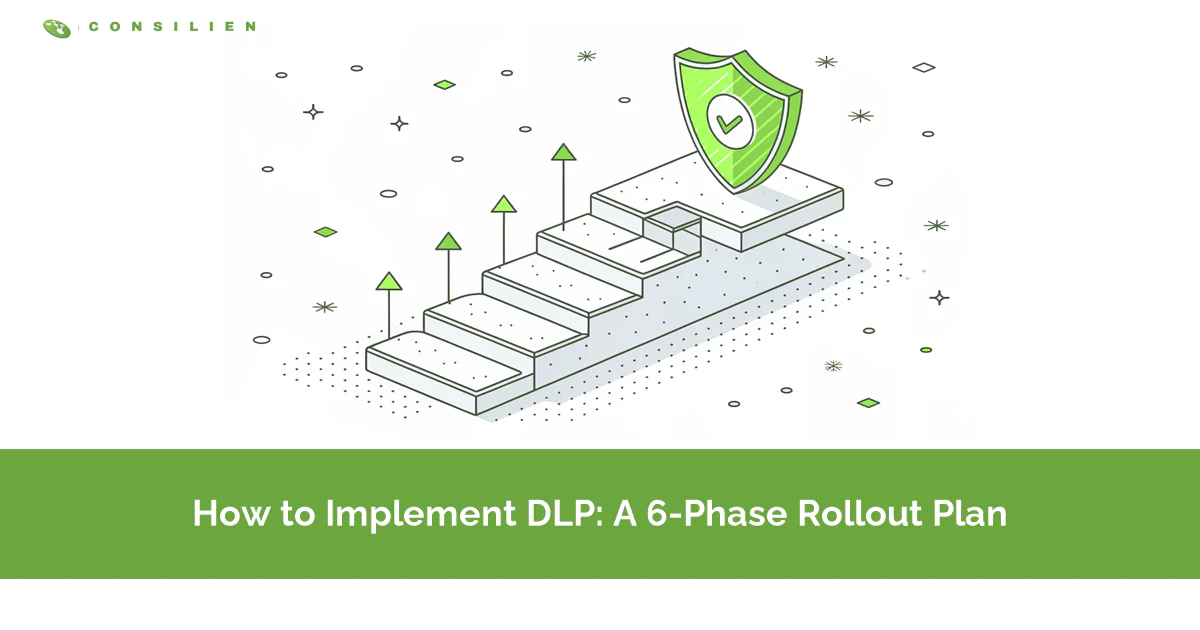
Implement DLP in six phases over 14 to 16 weeks. Assign an owner, audit your licensing, discover the data, run policies in simulation, warn a pilot group, then enforce a narrow set of rules.
Table of Contents
The plan usually falls apart in the same place. Someone gets budget approval in Q3, buys licenses in October, and switches on a dozen policies in blocking mode before Thanksgiving. By February the policies are still there, still generating alerts, and nobody has opened the queue since December.
That isn't a technology failure. It's a sequencing failure. Companies that buy data loss prevention services as a product rather than scoping them as a rollout land here almost every time, and the decision that caused it happened months before anyone logged into a console.
What follows is the DLP implementation sequence Microsoft documents for its own platform, expanded into a project plan you can put dates against. Two of the six phases happen before you configure a single rule. Those two get skipped.
How Long Does a DLP Implementation Take, Start to Finish?
About 14 to 16 weeks for a company of 20 to 1000 users. Six phases. Two before configuration, three for measurement and tuning, one for enforcement that never really ends.
That's calendar time, not effort. A data loss prevention implementation is mostly waiting, punctuated by short bursts of configuration. Inside a given phase the work is usually a few hours a week for one person plus a standing half-hour review. What stretches the timeline is waiting for real user activity to pile up, and no amount of extra staff compresses that.
Here's the whole sequence, with the week ranges and the gate that lets you move to the next phase.
- Phase 1, scope and ownership, weeks 1-2. Stakeholders name the data. Someone gets assigned to alert review. The gate is a specific person owning the queue.
- Phase 2, license audit, week 2. Confirm what your subscription already covers before anyone raises a purchase order. Gate: you know which channels you can cover today.
- Phase 3, discovery, weeks 3-5. One broad audit-only policy runs while devices onboard in the background. The gate is devices reporting and a match baseline you trust.
- Phase 4, simulation, weeks 5-9. Policies run, nothing is enforced, nobody is notified. You leave when ordinary business activity falls below roughly 20% of matches.
- Phase 5, policy tips on a pilot group, weeks 9-12. Warnings with override, narrow group, and a lot of reading. Gate: override volume flattens and no new workflow breaks.
- Phase 6, enforcement and the run state, week 12 onward. Block a small rule set and operate it. There's no gate on this one. You don't leave.
Phase 4 covers 4 weeks but needs two separate simulation runs. There's a reason for that, and it catches almost everybody. More on it below.
Phase 1. Who Owns This Before You Touch a Policy?
Someone has to be named, by name, as the person who opens the alert queue on a Tuesday morning. Not a team. Not a rotation. One person, with the hours budgeted.
Microsoft is unusually blunt about this in its DLP planning guidance, which states that IT "can't develop a broad ranging plan on their own without negative consequences" and lists the roles that need to be in the room: compliance officers, legal, business owners for the data, business users, and IT. The same document puts the split at roughly 85% regulatory and compliance protection, 15% intellectual property protection.
Read that split again. It tells you who actually sets scope, and it usually isn't the person running the project.
So phase 1 produces three things. A written list of the data categories you're protecting, in business language, agreed by the people who own that data. A named alert owner. And a decision about how much leakage the business will tolerate, because the honest answer is never zero and pretending otherwise is what breaks phase 6.
That last one is the uncomfortable conversation. Legal will say no sharing of customer records outside the company, ever. Then finance explains that the outside auditors need exactly that, quarterly, and have for years. Have it early. Better in week 1 than in week 12 when a blocking rule stops an audit deadline.
2 weeks is enough. If it takes six, that's information too, and it's the kind that tells you to fix governance before buying enforcement. The best practices behind these decisions go deeper on policy design than this page does.
Phase 2. What Does Your License Already Cover?
Check the Microsoft 365 bill before you buy anything. That changes the shopping list. A large share of what companies shop for is already sitting in the subscription, unconfigured, and the rest of the list gets a lot shorter once you know which part is missing.
Here's what the Microsoft Purview service description confirms as of its August 2026 update:
- Email, SharePoint, and OneDrive DLP is included in Microsoft 365 E3, A3, G3, and Business Premium. If you're on Business Premium today, you already own policy enforcement across the three places where most sensitive files actually sit.
- Endpoint DLP, which is the piece that watches USB drives, printers, and files copied off a laptop, needs E5 or the Purview Suite. It is not in E3 and it is not in Business Premium.
- Teams chat and channel DLP sits at the same E5 tier.
- Browser and network inline protection, the part that covers uploads to unmanaged AI tools, is billed pay-as-you-go against an Azure subscription rather than included in a seat license.
And one line that matters enormously at Consilien's typical client size. Microsoft states that Purview add-ons for Business Premium "require a Microsoft 365 Business Premium base license and are capped at 300 seats total." A 400-person company on Business Premium can't buy its way to full endpoint coverage through the add-on. It has to move license tiers, which is a different budget conversation and a different quarter.
Nobody finds that on a vendor comparison page. It's the kind of constraint that turns a 14-week plan into a 30-week one if you learn it in week 11 instead of week 2.
Phase 2 takes a couple of days of actual work. Give it a week on the calendar. Procurement needs the time to answer. If the license gap is real and the money isn't there this year, you can still run phases 3 through 6 on email and file storage alone and add endpoints later. Partial coverage that works beats full coverage that nobody funded. If you're weighing platforms rather than staying in the Microsoft stack, the comparison of DLP platforms covers the field, and what DLP actually does is the plain-language version for anyone joining the project late.
Phase 3. Where Does the Sensitive Data Actually Live?
Deploy one broad policy in audit-only mode across every location you can reach, and let it run. Audit-only means the policy watches and records, and does nothing else. Users notice nothing.
What comes back is a map, and it's almost never what the org chart predicted. The shape is usually the same. Copies of a customer pricing sheet sitting in personal OneDrive accounts, none of them the finance system that was supposed to be the source of record. Nobody had noticed. That's not a security finding so much as a process finding, and it changed what they wrote policies against.
Start device onboarding now, in parallel, even though you won't use endpoint policies for another 6 weeks. Microsoft's endpoint DLP setup walks through the paths, whether you push the configuration package through Intune, Group Policy, Configuration Manager, or a local script, and each one has its own lead time in a real environment with laptops that are asleep, at a customer site, or belonging to the salesperson who never reboots. Onboarding is the single most common reason phase 4 starts late. Plan for stragglers.
Some environment-specific things are worth knowing before you plan around them. Virtual desktops treat USB storage as a network share, so a rule that watches "copy to USB" catches nothing on Azure Virtual Desktop or Citrix unless you also watch copy-to-network-share. macOS 27 changed the permission model for the endpoint agent. Check your fleet. And unmanaged personal devices are simply outside this system, which is worth stating out loud to whoever asked for total coverage.
3 weeks is typical. It runs longer if device onboarding stalls, which is the usual reason.
Where does the AI channel fit? Right here, in the map. Prompts pasted into a public chatbot are now a documented DLP location rather than a gap you have to solve separately, and treating shadow AI as a discovery input rather than a separate project keeps it from becoming a second rollout 6 months later. Microsoft 365 Copilot governance covers the sanctioned side of the same question.
Phase 4. What Happens When Nothing Is Enforced Yet?
Policies run exactly as if they were live, matching real activity, generating real alerts, and affecting nobody. Microsoft calls this simulation mode. That makes it the phase that decides the outcome.
Measurement is the point. You're watching two numbers, and only two. How many matches a week, and what share of them are ordinary business activity rather than genuine problems. If the second number is above roughly a fifth of total matches, the rule needs work before a user ever sees it. A first run that returns far more ordinary business activity than genuine problems isn't a broken policy. It's a normal first pass.
Two simulation runs, not one. The reason is a limit in the platform rather than a choice anyone gets to make.
Simulations expire. Microsoft's simulation mode documentation states that "simulations can run for up to 15 days" and that data from a run is kept for 30. Nearly every DLP guide on the internet tells you to run simulation for at least 30 days. In Purview, that instruction isn't executable. It stops at 15. If you built a 4-week phase around a single simulation you'll spend the back half of it staring at a dashboard that quietly stopped collecting.
Same page, two more constraints, and both change how you read the results:
- For Exchange, Teams, and Devices, only items that are new during the simulation get evaluated. SharePoint and OneDrive scan existing content as well. So your email and endpoint match counts are structurally low, and the true volume after enforcement will be higher than the number you're budgeting analyst time against.
- Simulation alerts appear only in the simulation tab. They don't reach the DLP alerts console and they don't flow into the Defender portal. If your security team watches Defender, they will see nothing for 6 weeks and reasonably conclude that nothing is happening.
Plan it as two consecutive 15-day runs with a tuning pass in between. That's 4 weeks and it fits the phase. Just plan it that way.
Phase 5. When Should Users Start Seeing Warnings?
Turn on policy tips for a pilot group, not the whole company. A policy tip is the in-app warning a user gets before sending or copying something, with the option to proceed and type a reason.
Microsoft is specific about scoping at this stage. Its policy deployment guidance says to narrow the scope "to a pilot group that can give you feedback and be early adopters who can be a resource for others when they come onboard." That second half is the part teams skip. You're not just testing the rule. You're building the handful of people who will explain it to everyone else in phase 6.
25 to 50 users is a workable pilot at this company size, chosen to cover the roles that touch the data rather than the roles that are easiest to recruit. Include the finance person who sends spreadsheets to the outside accountant. Include one salesperson. Especially include whoever complained loudest in phase 1. That person is useful.
Then read the override justifications. All of them. For the first 2 weeks.
It's tedious. It's also the single highest-value activity in the whole project, because a user typing "sending this to our auditor, we do this every quarter" is handing you a plain-English description of a workflow your rule misunderstood. No amount of tuning from the console produces that. Rising override volume on one specific rule is a signal to change the rule, not to send a reminder about the policy.
Microsoft's action ladder runs Allow, then Audit only, then Block with override, then Block. Phase 5 lives at Block with override, and some rules should stay there permanently. Pair the warnings with security awareness training that explains why the rule exists, because a warning with no context reads as an obstacle and gets routed around.
Give it 3 weeks. Extend if the override volume is still climbing, because a rule that's still generating fresh complaints isn't ready to block anybody.
Phase 6. What Does Enforcement Look Like, and What Comes After?
Enforcement means blocking, and it should apply to 3 or 4 rules, not 30. This is the only phase of the implementation a user experiences as a restriction. Everything else stays in warn or audit mode and graduates later, if it ever earns it.
Rules that make the cut are the ones that survived phases 4 and 5 with a low false-positive rate and no legitimate workflow attached. Credit card numbers leaving the company by email is usually one. A folder of regulated records copied to removable storage is usually another. Beyond that, the list gets thin fast, and a thin list is the correct outcome rather than a sign of an incomplete project.
Then the project ends. The run state begins. Four numbers are worth tracking:
- False positive rate over time. It should fall every month for the first 6. Flat means nobody is tuning.
- Override justification volume by rule. Concentrated on one rule points at that rule, not at the users.
- Channel coverage. Count the channels with a live enforced policy, divide by the channels you said you'd cover in phase 1, and be honest about the number. Programs describing themselves as covered are frequently sitting around 40%.
- Median time from alert to human review. Under 24 hours means someone is watching. Over a week means you built logging.
Somebody has to open that queue every business day. That part doesn't flex. If the answer to who is "we'll figure it out," the program has a shelf life of about a quarter, and the difference between an MSP and an MSSP is the honest version of that staffing question.
Quarterly review is enough after the first two quarters. Monthly for the first two. Put it on a calendar. And every January, re-check the licensing table from phase 2, because Microsoft moves DLP features between subscription tiers roughly once a year and a capability you're relying on can quietly change price.
What Sends a DLP Implementation Back a Phase?
Four things, and each one has a phase it sends you back to. Deploying data loss prevention is iterative by design, so none of this is unusual.
A false positive rate that stops falling means phase 4 didn't finish. Go back to simulation with the specific rule rather than pushing through and hoping tuning happens later. It won't.
New sensitive data locations appearing in phase 5 that nobody found in phase 3 means the discovery scan missed a system, usually a departmental file share or a SaaS tool that IT didn't know had a copy of the customer list.
Override justifications describing a workflow you've never heard of send you back to phase 1, because the scope conversation missed a business process.
License constraints discovered mid-rollout send you back to phase 2, which is exactly why phase 2 exists.
None of these are failures. A rollout that never goes backward is usually one where nobody is checking.
Who Should Wait Before Starting?
In all three situations below, the tool isn't the constraint.
If you can't produce a current list of where regulated data lives, do discovery first as its own project. Writing enforcement rules against an environment you can't see produces policies that look thorough and cover the wrong systems.
Buy the hours before the licenses if nobody has time to review alerts. A DLP program with no reviewer generates a compliance answer that won't hold up under any actual scrutiny, which is worse than not having one, because at least the second option doesn't create false confidence.
And if your real concern is a specific person rather than a pattern, DLP is the wrong tool. Someone quietly zipping a folder of strategy documents that contain no regulated data at all trips nothing. That's a context problem. Insider risk tooling reads context. DLP reads content.