10 Best Privileged Access Management (PAM) Solutions for 2026
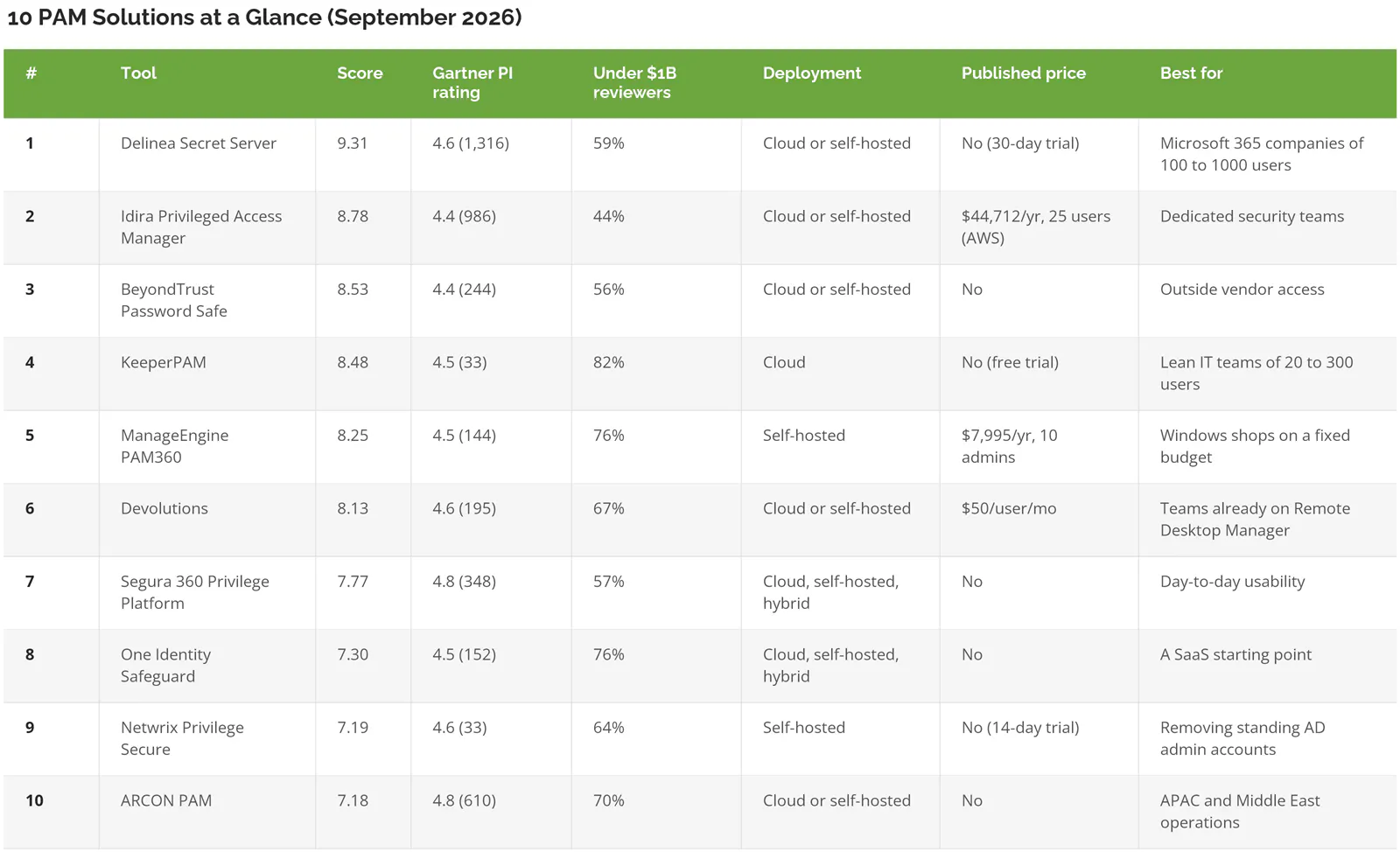
Delinea Secret Server ranks first among the best PAM solutions for 2026 at 9.31 out of 10, the only tool with top marks on features, Microsoft integration, and analyst placement plus a free trial. Idira, formerly CyberArk (8.78), suits large security teams, and BeyondTrust (8.53) leads on vendor access. Scores blend live Gartner Peer Insights data with five criteria.
Table of Contents
Quick Picks
- Top score overall: Delinea Secret Server
- Deepest platform for a large security team: Idira Privileged Access Manager
- Best for outside vendors who need server access: BeyondTrust
- Best fit for a lean IT team: KeeperPAM
- Lowest published price with a real PAM feature set: Devolutions
- Best for self-hosting on a fixed budget: ManageEngine PAM360
Picking among the best PAM solutions starts with an uncomfortable count. How many accounts in the company can create a new Global Administrator, wipe a file server, or push software to every laptop at once? Run that count at a 300-person manufacturer and the list may include a former contractor's login, or a backup service account nobody remembers creating.
Attackers go looking for exactly those accounts. Microsoft's 2025 Digital Defense Report found that more than 97% of identity attacks are password attacks, and CrowdStrike's 2026 Global Threat Report says abuse of valid accounts made up 35% of cloud incidents. No malware needed. Just a login that works.
Privileged access management, or PAM, is the category of tools that locks those logins down. A PAM tool keeps admin passwords in a vault, rotates them, records what admins do, and hands out elevated rights only for as long as a task takes. For the basics, what privileged access management is covers how it works. This ranking is for the next step, choosing a product. PAM is one layer of identity and access management services, next to sign-in, MFA, and access reviews.
It scores 10 tools for companies with 20 to 1000 users, the size where a handful of people often hold every admin key. Several of the pages ranking for this search come from PAM vendors that put their own product first. The model here is published in full below, and no vendor paid for placement or submitted its own data.
What a PAM Tool Actually Does
Vendors pack a lot under three letters. Five jobs show up again and again, and a tool that skips one of them leaves a gap somebody else has to cover.
- Password vaulting and rotation. Admin and service account passwords live in an encrypted vault and change automatically, so nobody keeps the domain admin password in a spreadsheet.
- Session recording. Every privileged login to a server or database is recorded, often with keystrokes, so there's a replay when something breaks.
- Just-in-time access. Rights exist only while a task runs, then disappear. Security teams call the end state "zero standing privilege."
- Endpoint privilege management. Employees lose local admin rights on their laptops, and approved apps still install without a help desk ticket.
- Vendor remote access. An outside contractor reaches one server through a browser session, with no VPN account and no permanent credentials.
Microsoft 365 covers part of this already, which matters for the budget conversation. Tools also differ on whether they run as a cloud service or on a company's own servers, and that single choice decides how much maintenance lands on a small IT team.
How the 10 Tools Were Scored
Each tool earned a Confidence Score out of 10 from six weighted criteria, led by Gartner Peer Insights reviews (25%) and fit for companies with 20 to 1000 users (25%).
Rankings are produced using a Confidence Score methodology, six independently researched criteria applied the same way to every tool. No vendor paid for placement. No vendor submitted its own data.
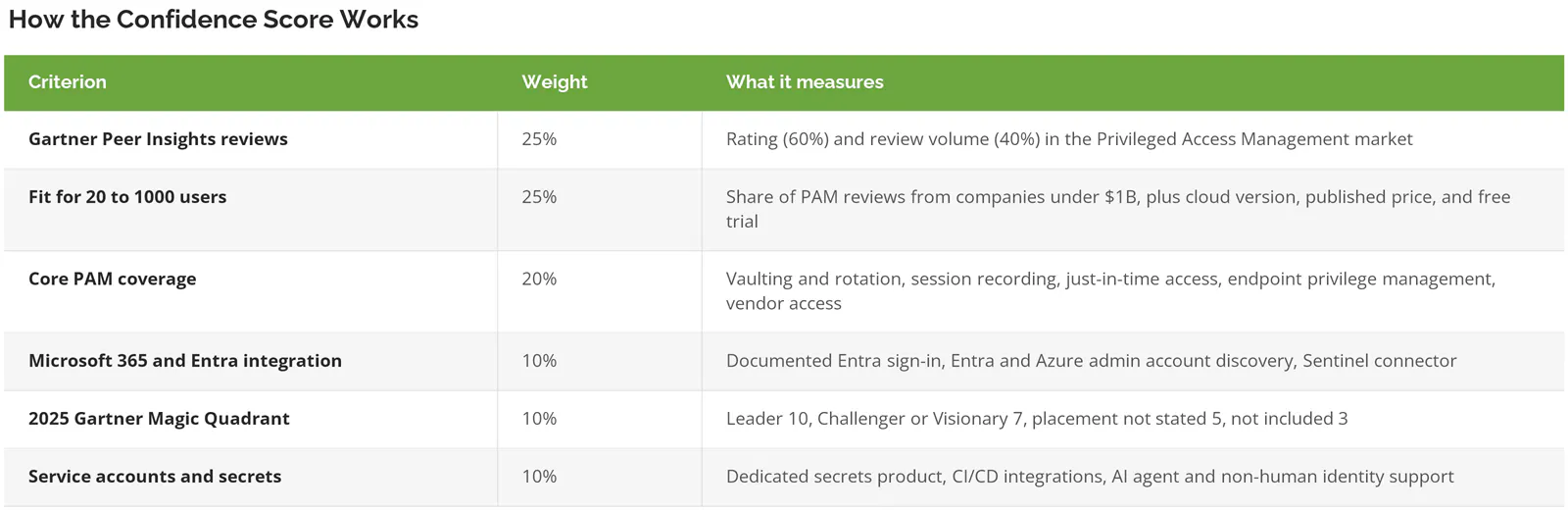
Reviews come from the Privileged Access Management market on Gartner Peer Insights, pulled live on September 16, 2026. Only ratings inside that market count. The rating supplies 60% of the criterion and review volume supplies 40%, so a 4.8 on 33 reviews doesn't automatically beat a 4.6 on 1,316.
Fit for 20 to 1000 users splits in half. Gartner tags every reviewer with company revenue, which made it possible to count how many PAM reviews for each vendor came from companies under $1B. A share of 70% or more earns full marks. That count covers all of a vendor's reviews in the PAM market, not a single product. The other half rewards three things a small team feels right away, a generally available cloud version (4 points), a published price (3), and a free trial or free edition (3).
That revenue split turned up the most useful number in the research. At Keeper, 27 of 33 reviewers work at companies under $1B. At Idira, it's 546 of 1,236. Both tools sit in the same market. The buyers don't look alike.
Core PAM coverage gives 2 points for each of the five jobs above, confirmed in the vendor's own documentation. Partial support, such as endpoint control on Windows only, earns 1.
Microsoft 365 and Entra integration awards 4 points for documented Microsoft Entra ID sign-in, 4 for discovering or rotating Entra and Azure admin accounts, and 2 for a Microsoft Sentinel connector. Entra ID is the identity system behind Microsoft 365, and Sentinel is Microsoft's security log tool. A logo on a partner page doesn't count.
The 2025 Gartner Magic Quadrant for PAM, published October 13, 2025, is the most recent edition. Placements come from each vendor's own announcement. Leaders score 10, Challengers and Visionaries 7, vendors that announced inclusion without naming a quadrant 5, and tools outside the report 3. Gartner does not endorse any vendor, product, or service depicted in its research publications. GARTNER, MAGIC QUADRANT, and PEER INSIGHTS are trademarks of Gartner, Inc.
Service accounts and secrets checks for a dedicated secrets product (5 points), documented CI/CD pipeline integrations, the automated systems that build and ship software (3), and support for AI agents or other non-human identities (2). Service accounts, API keys, and automation scripts often hold more privilege than any person, and nobody resets their passwords when an employee leaves.
How sensitive is the order? Remove the Magic Quadrant criterion and Delinea still leads at 9.23, but KeeperPAM (8.86) and Devolutions (8.70) both jump ahead of Idira (8.65). Analyst recognition is the one criterion that favors the enterprise heavyweights, and it's only worth 10%.
Three names are missing on purpose. StrongDM now belongs to Delinea, which completed the acquisition on March 5, 2026. Saviynt is primarily an identity governance platform. WALLIX PAM (4.5 across 212 reviews) missed the cut in favor of Devolutions, which publishes its price. Microsoft Entra Privileged Identity Management isn't ranked, because it doesn't vault passwords or record sessions, but it gets its own section further down.
PAM Solutions Compared
The 10 Best PAM Solutions for 2026, Ranked
1. Delinea Secret Server, No Weak Criterion Anywhere

Delinea Secret Server is a password vault with session recording at its center, sold as a cloud service or for a company's own servers, with endpoint and vendor access products around it.
Confidence Score: 9.31/10
Nothing here covers the scorecard more evenly. Secret Server earned full marks on core coverage, Microsoft integration, secrets management, and analyst placement, and it carries the largest review count of any product on this list, 1,316 ratings at 4.6.
TPG merged Thycotic and Centrify in 2021 to form it, and the combined company took the Delinea name in February 2022. It's been a Leader in Gartner's PAM report seven consecutive times. The customer base leans mid-sized, too. Of Delinea's 1,604 reviews in the PAM market, 948 came from companies under $1B in revenue.
Key strengths
- A 30-day free trial for up to 10 users, in the cloud or on-premises, with automatic discovery and password changing for service accounts included.
- The deepest documented Entra integration here. The Delinea Platform discovers Entra users, roles, admins, and Azure managed identities, and even flags AI agents, according to its Entra ID integration guide.
- Privilege Manager removes local admin rights on Windows and macOS laptops, and Privileged Remote Access gives contractors browser-based access with no VPN.
- StrongDM, now part of Delinea, adds just-in-time authorization for infrastructure access, the zero standing privilege model newer tools are built around.
The tradeoff. Delinea publishes no prices, so the free trial is the only way to judge it before a sales call. The Sentinel integration works only with Secret Server Cloud, not the self-hosted version. A PeerSpot reviewer flagged the on-premises upkeep bluntly, saying "Whenever an update is applied to Secret Server, it requires downtime." Another, a relationship manager, said they might not be able to pitch it "to an account with a low budget for PAM." And the product family is wide now. Secret Server, Privilege Manager, Privileged Remote Access, DevOps Secrets Vault, and StrongDM are separate names on a quote, so ask which ones a proposal actually includes.
Best for: companies of 100 to 1000 users on Microsoft 365 that want vaulting, laptop admin removal, and vendor access from one vendor, delivered as a cloud service.
Not ideal for: a team that needs to see a price before booking a demo.
Why it ranks #1: Every other tool on this list gives up something important, whether that's analyst standing, a mid-sized customer base, Microsoft depth, a cloud option, or a free trial. Delinea's only real gap is a public price list.
2. Idira Privileged Access Manager (Formerly CyberArk), the Enterprise Standard

Idira is the new name for CyberArk's identity security products, rebranded by Palo Alto Networks in May 2026, and its PAM platform is still the one large security teams measure others against.
Confidence Score: 8.78/10
The name is new. The product isn't. Palo Alto Networks closed its $25B acquisition of CyberArk on February 12, 2026, and introduced Idira on May 12. CyberArk was named a Leader in Gartner's 2025 PAM Magic Quadrant for the seventh consecutive time, positioned furthest for Completeness of Vision.
Something unusual for an enterprise vendor turned up, too. A price. Its AWS Marketplace listing sells 25 Standard Privilege Cloud users for $44,712 on a 12-month contract.
Key strengths
- Covers all five PAM jobs, including ephemeral privileges that are "created only when a task starts and destroyed automatically when work ends," per its PAM product page.
- Secrets Manager handles API keys, tokens, certificates, and database credentials for applications and CI/CD pipelines, in SaaS or self-hosted form.
- Microsoft Learn publishes an Entra single sign-on tutorial for it, and Microsoft's Sentinel connector list includes CyberArk EPM and CyberArk Audit.
- 986 Peer Insights reviews for the core PAM product, second only to Delinea on this list.
Worth knowing. Cost and fit. Only 44% of Idira's PAM reviews come from companies under $1B, the lowest share on this list. PeerSpot reviewers were direct about cost, one saying "CyberArk's SaaS solution is particularly expensive," and one noted that "even in the SaaS version...they need to deploy some servers on-premises." The $44,712 figure buys 25 users, which is well past what a 10-admin IT team needs. And a rebrand mid-contract raises fair questions about renewal terms and roadmap, so put them in writing.
Best for: companies near 1000 users with a dedicated security team, strict audit demands, or a Palo Alto Networks firewall and security stack already in place.
Not ideal for: a company where PAM is one of 20 things the IT manager owns.
Why it ranks #2: On capability alone it could be first. A customer base weighted toward large enterprises, plus a higher entry price, keeps it out of the top spot for companies this size.
3. BeyondTrust Password Safe, Built Around Remote Access
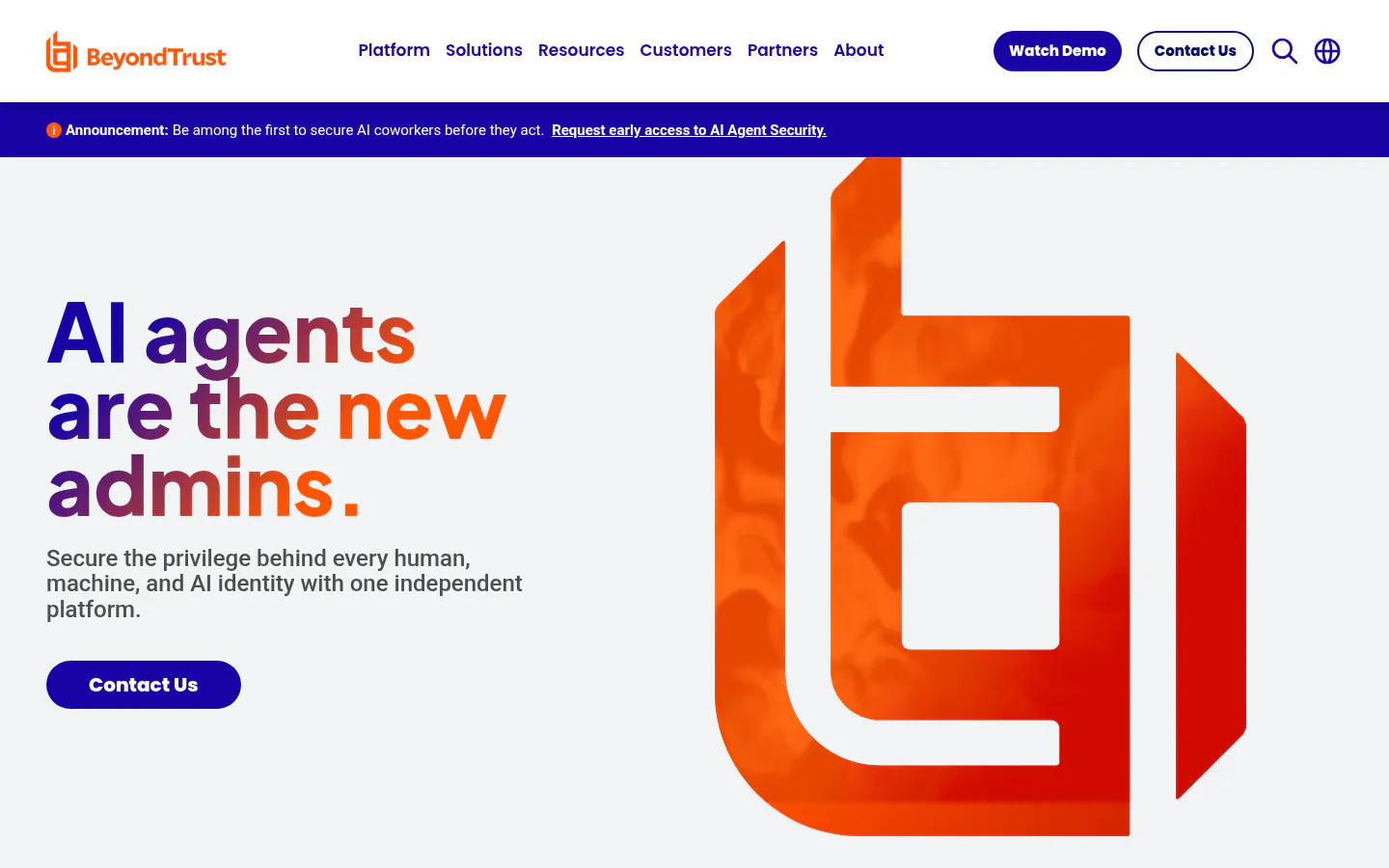
BeyondTrust pairs Password Safe with the remote access tools help desks and contractors already know, which makes it the strongest pick here when outsiders need to get into company systems.
Confidence Score: 8.53/10
Key strengths
- A 2025 Magic Quadrant Leader for the seventh consecutive year, and BeyondTrust's announcement says it was positioned highest of all vendors for Ability to Execute.
- Password Safe can monitor and record live sessions, then "pause or terminate suspicious sessions" in real time.
- Privileged Remote Access, rated 4.6 across 300 Peer Insights reviews, gives vendors recorded access in the cloud or on-premises.
- Just-in-time access came through the Entitle acquisition in April 2024.
- Its Azure connector reads Entra users, roles, and risk events, though it needs at least an Entra ID P1 license.
Then there's history. It matters when the product is a remote access tool. In December 2024, attackers used a compromised API key for BeyondTrust's Remote Support SaaS, and 17 customers were affected. That was Remote Support, not Password Safe, but it's fair to ask what changed afterward. Ownership is a second open question. Francisco Partners explored a sale in August 2025, and no deal had been announced when this was published.
Smaller frictions, too. No price appears anywhere, even on AWS Marketplace, which asks for a private offer. BeyondTrust's own documentation says the EPM Cloud Sentinel integration is deprecated from release 26.2. One PeerSpot reviewer, a PAM architect, wrote that "Documentation is complicated and inconsistent."
Best for: companies that rely on outside IT vendors, OT (operational technology) contractors, or software suppliers who need controlled, recorded access to specific servers.
Not ideal for: buyers who need a public price or a self-serve trial to build a business case.
Why it ranks #3: Leader-level recognition and full coverage keep it close to Idira. The missing trial and price put it a quarter point behind.
4. KeeperPAM, Picked by the Smallest Companies
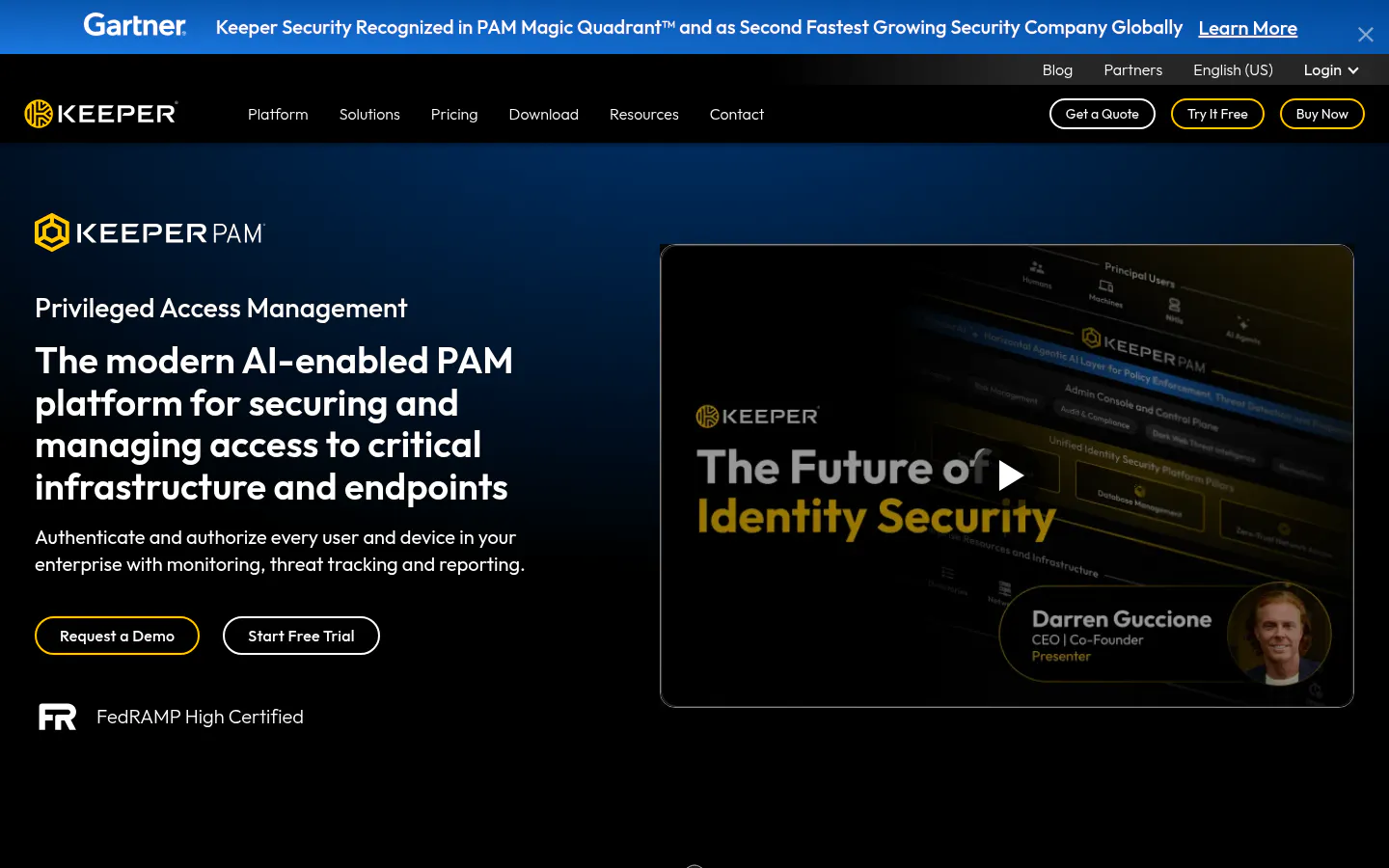
KeeperPAM grew out of a business password manager into a cloud PAM platform, and its reviewers skew smaller than any other tool on this list.
Confidence Score: 8.48/10
Look at who wrote the reviews. Of Keeper's 33 reviews in the PAM market, 27 came from companies under $1B, an 82% share and the highest here, and 13 of those from companies under $50M. The trade is volume. Thirty-three reviews is tied with Netwrix for the thinnest base on the list, so a handful of new ratings could move its 4.5 either way.
Key strengths
- Covers all five PAM jobs in one cloud service, including temporary accounts created on the target system for a single session and an endpoint privilege manager for Windows, macOS, and Linux.
- Vendor sessions need "no client software or VPN setup," and every session is recorded with screen activity and keystrokes.
- Keeper Secrets Manager supports AI coding agents such as Claude Code, Cursor, and Copilot, and its pricing page includes up to 24 annual active non-human identities at no cost.
- A 2026 MSP Partner Program for IT providers who run PAM on a client's behalf.
Where it falls short. KeeperPAM itself is quote-only, even though Keeper publishes prices for its business password manager. Keeper announced it was "recognized" in the 2025 Magic Quadrant without naming a quadrant, which scores lower than a stated placement. And while Entra single sign-on and a Sentinel connector are documented, discovering admin accounts inside Entra is not. Rotation of Azure IAM accounts is.
Best for: companies of 20 to 300 users that already trust Keeper for passwords and want admin controls in the same cloud console.
Not ideal for: an organization whose auditors or board expect a Magic Quadrant Leader.
Why it ranks #4: If Magic Quadrant placement didn't count, Keeper would sit second. For a lean team, that sensitivity says more than the rank does.
5. ManageEngine PAM360, a Price on the Page
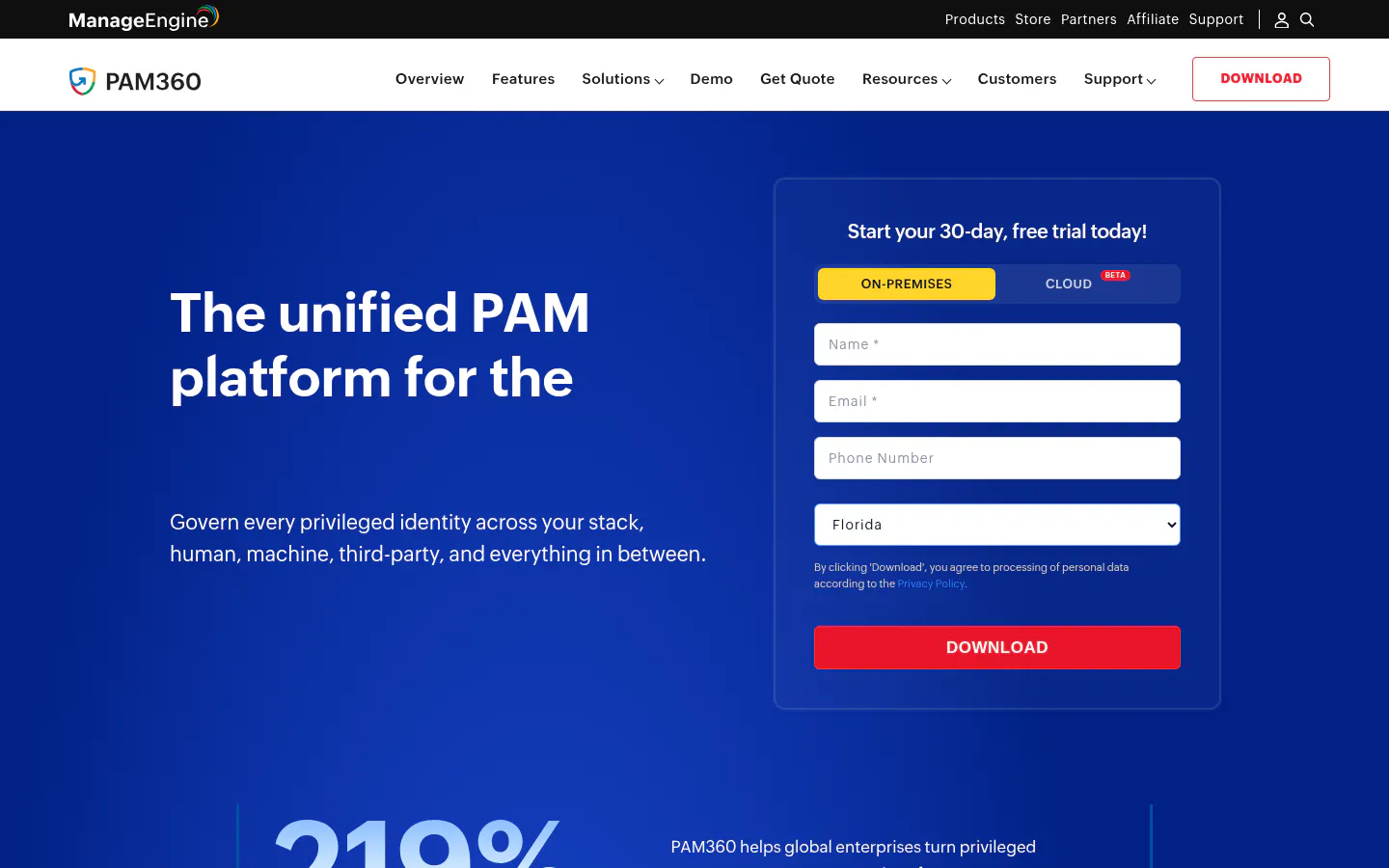
ManageEngine PAM360 is the self-hosted choice for IT teams that want to see the full price list, and a free edition, before talking to anyone.
Confidence Score: 8.25/10
Ten administrators cost $7,995 a year on subscription, and 20 administrators cost $12,995, both including maintenance and support, per the PAM360 pricing page. A free edition covers one administrator and 10 resources indefinitely. For a CFO, that's the easiest conversation on this list.
Key strengths
- A 2025 Magic Quadrant Challenger, the third straight year for ManageEngine.
- 76% of ManageEngine's 440 PAM market reviews came from companies under $1B.
- Browser-based sessions for vendors "without VPNs, agents, plug-ins," per its secure remote access page.
- Release 8.7, out August 29, 2026, added discovery of Azure virtual machines and Azure SQL databases, and Entra ID provisioning is supported, according to the release notes.
- A multi-tenant MSP edition for providers managing several clients.
The catch is the server. PAM360 runs on-premises. The trial form shows a cloud option marked Beta, so a small team is signing up to patch and back up its own PAM server. Endpoint privilege management covers Windows only and is "powered by" ManageEngine's Application Control Plus, so confirm whether that's a separate purchase. A PeerSpot reviewer added that "PAM360's dashboard needs improvement for clearer presentations."
Best for: Windows-heavy companies with an IT team comfortable running servers and a firm annual budget.
Not ideal for: a company that has moved everything it can to the cloud and wants to keep it that way.
Why it ranks #5: Transparent pricing and a mid-market customer base score well. On-premises-only deployment and Windows-only endpoint coverage keep it out of the top four.
6. Devolutions, PAM Inside the Remote Desktop Tool
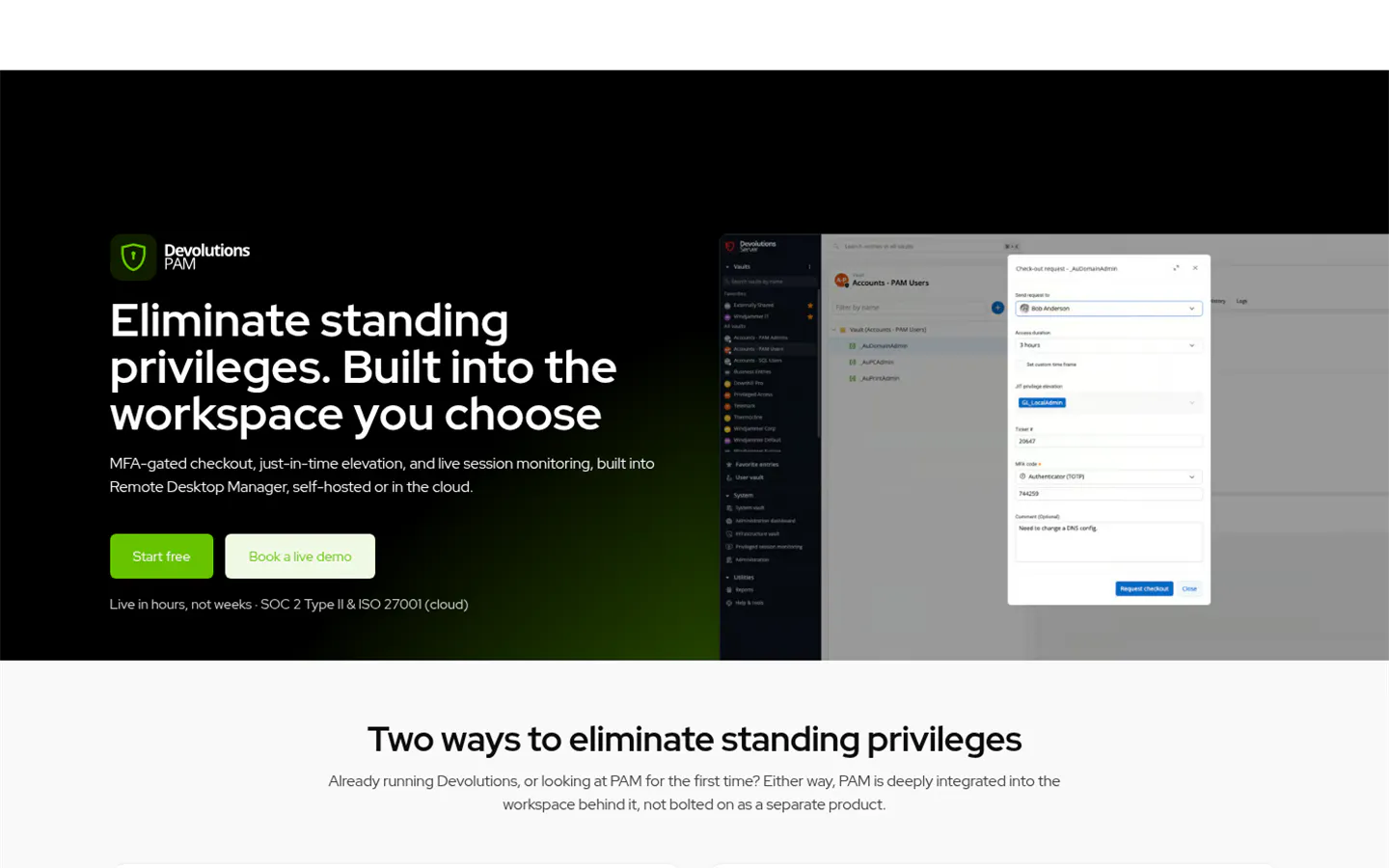
Devolutions adds PAM to Remote Desktop Manager, a tool with more than one million users, at $50 per user per month.
Confidence Score: 8.13/10
Devolutions scored higher than any other tool on fit for companies this size, 9.81 out of 10. Its pricing page lists the Privileged Access Management package at $50 per user per month, billed annually, with a 14-day trial, and the company says it builds "primarily for small and medium-sized businesses (SMBs) and mid-market organizations." It was founded in Canada in 2010 and reports users in 140 countries.
Key strengths
- Devolutions PAM includes password rotation with propagation to dependent services, live session monitoring and recording, and just-in-time elevation.
- Runs self-hosted on Devolutions Server or in Devolutions Cloud, the name Devolutions Hub has carried since June 2, 2026.
- An Entra ID user provider handles account discovery and password rotation.
- Ansible, Kubernetes, and Terraform integrations for DevOps teams, added in January 2026.
Two gaps stand out. First, laptops. Removing standing admin rights through the Devolutions Agent is listed as an "early implementation" item on its 2026 roadmap, not a shipping feature. Second, a July 2026 advisory, CVE-2026-14536, described a way to bypass the "MFA Required" policy in Devolutions Server with valid credentials. It was fixed in version 2026.2.11.0, and anyone self-hosting should confirm they're past it. Devolutions also doesn't appear in Gartner's 2025 Magic Quadrant, and its Peer Insights rating reflects Remote Desktop Manager (4.6 across 195 reviews) more than the newer PAM module.
Best for: IT teams of 3 to 15 people who already live in Remote Desktop Manager and want vaulting, rotation, and session recording without a second console.
Not ideal for: companies that need to strip local admin rights from employee laptops this year.
Why it ranks #6: It's the best value on paper and the easiest to adopt. An unfinished endpoint story and no analyst coverage hold it back.
7. Segura 360° Privilege Platform, the Top Rating Here
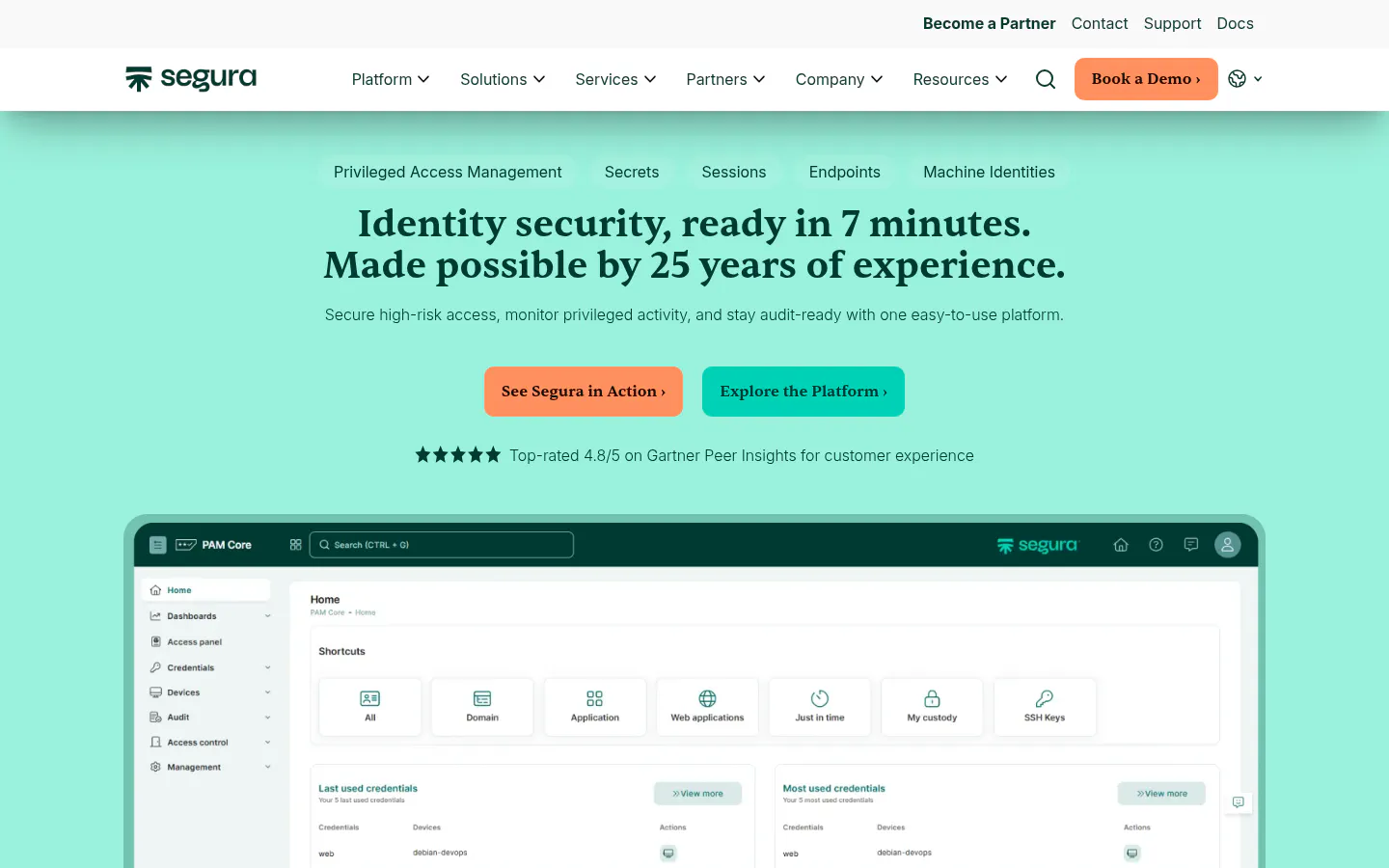
Segura, known as senhasegura until March 2025, ties ARCON for the highest Peer Insights rating on this list, 4.8 out of 5, across 348 reviews.
Confidence Score: 7.77/10
Key strengths
- Named a Challenger in the 2025 Magic Quadrant, per Segura's announcement.
- Cloud, on-premises, or hybrid deployment, with session video and keystroke logs, automatic rotation, and just-in-time access on its PAM product page.
- Domum, a VPN-free remote access tool that sends vendors time-limited, approval-based links.
- A DevOps Secret Manager for GitHub Actions, GitLab CI/CD, Jenkins, and Kubernetes.
Segura's homepage promises "identity security, ready in 7 minutes." That's a vendor claim, and worth testing in a trial.
Microsoft depth is another story. Microsoft Learn has an Entra single sign-on tutorial for it, but no documented Sentinel connector or Entra admin account discovery turned up. The pricing page promises "all-inclusive pricing" and 70% lower total cost of ownership than competitors without a single figure, and no free trial is advertised. The company is headquartered in São Paulo, Brazil, with a US office in Austin, Texas, and took a $25M investment led by Riverwood Capital in February 2026.
Best for: companies that care more about how the tool works day to day than how it plugs into Microsoft 365.
Not ideal for: Microsoft-centered IT teams that want Entra and Sentinel wired in from day one.
Why it ranks #7: Excellent reviews, thin Microsoft integration. For companies running on Microsoft 365, that second part matters.
8. One Identity Safeguard, a Cloud Starter Edition
One Identity Safeguard is a Visionary in Gartner's 2025 report and offers Cloud PAM Essentials, a SaaS edition aimed at smaller companies.
Confidence Score: 7.30/10
Its numbers look good for a smaller buyer. Safeguard holds a 4.5 across 152 reviews, and 76% of One Identity's PAM reviewers came from companies under $1B. According to One Identity's announcement, Gartner cited "below the market average pricing, particularly for SaaS offerings." Cloud PAM Essentials, launched in March 2024, includes password rotation, session recording, and secure tunnel access with no VPN.
Key strengths
- Safeguard 8.0 LTS added just-in-time access through privilege elevation and demotion in December 2024.
- Safeguard Secrets Broker for DevOps pushes secrets into Azure Key Vault, HashiCorp Vault, Kubernetes, Jenkins, and AWS Secrets Manager.
- Parent company Quest, backed by Clearlake Capital, bought Anetac, a non-human identity security company, in June 2026.
Documentation is the problem, not necessarily the product. One Identity's own site and support portal blocked every automated request during research, so its Microsoft Entra, Sentinel, and endpoint privilege capabilities couldn't be verified from public pages and didn't earn points. A buyer on Microsoft 365 should ask for those integration guides directly. One PeerSpot reviewer found the product "not very intuitive, especially for new users," and the lineup (Cloud PAM Essentials, Safeguard for Privileged Passwords, Safeguard for Privileged Sessions, Safeguard Remote Access) takes some sorting out.
Best for: smaller companies that want a SaaS starting point from an established identity vendor, with room to grow into the full Safeguard suite.
Not ideal for: buyers who need Microsoft integrations documented publicly before a shortlist meeting.
Why it ranks #8: Good fit numbers and a sensible entry edition. Unverifiable Microsoft and endpoint documentation pulled the total down, and a demo could change that.
9. Netwrix Privilege Secure, Zero Standing Privilege First
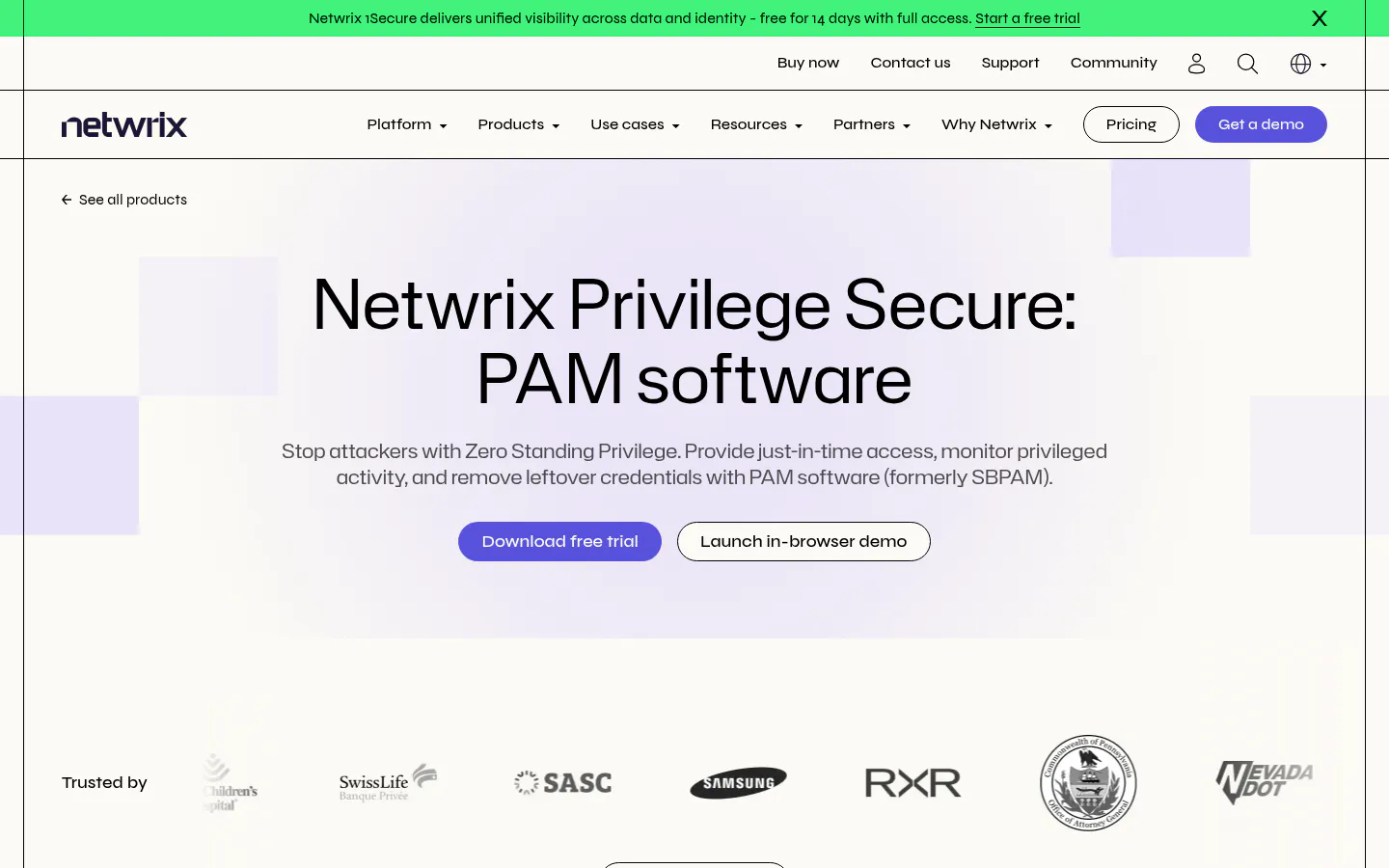
Netwrix Privilege Secure starts from a different premise than a vault. Admin accounts shouldn't exist until someone needs one.
Confidence Score: 7.19/10
Its documentation describes an "Activity Token," an account "that NPS creates just for this session and then destroys when the session ends." For a company worried about attackers finding a standing Domain Admin account, that model is the point. It earned full marks on core coverage, including a separate endpoint privilege manager for Windows and macOS and browser-based remote desktop (RDP) and command-line (SSH) access without a VPN.
Everything else is uneven. Privilege Secure installs on a Windows server the customer runs, with no SaaS version documented. The product page offers a 14-day trial and says self-service checkout is available to organizations with up to 150 employees, but no price appears on the buy-now page. Automatic rotation works on a schedule, though service accounts with dependencies "must be initiated manually." A dedicated secrets manager for applications and CI/CD pipelines didn't turn up, which drove its lowest criterion score.
It's rated 4.6 across 33 reviews, and 64% of those reviewers work at companies under $1B. Netwrix, headquartered in Frisco, Texas, and majority-owned by TA Associates, runs an MSP program with no minimum revenue.
Best for: companies that run on Active Directory, Microsoft's on-premises user directory, and want to eliminate standing admin accounts and are comfortable hosting the tool.
Not ideal for: DevOps teams that need secrets pushed into build pipelines.
Why it ranks #9: The strongest just-in-time model on the list, hosted only on-premises with no price. A 10-admin team will feel both.
10. ARCON PAM, Strong Reviews and a Microsoft Gap
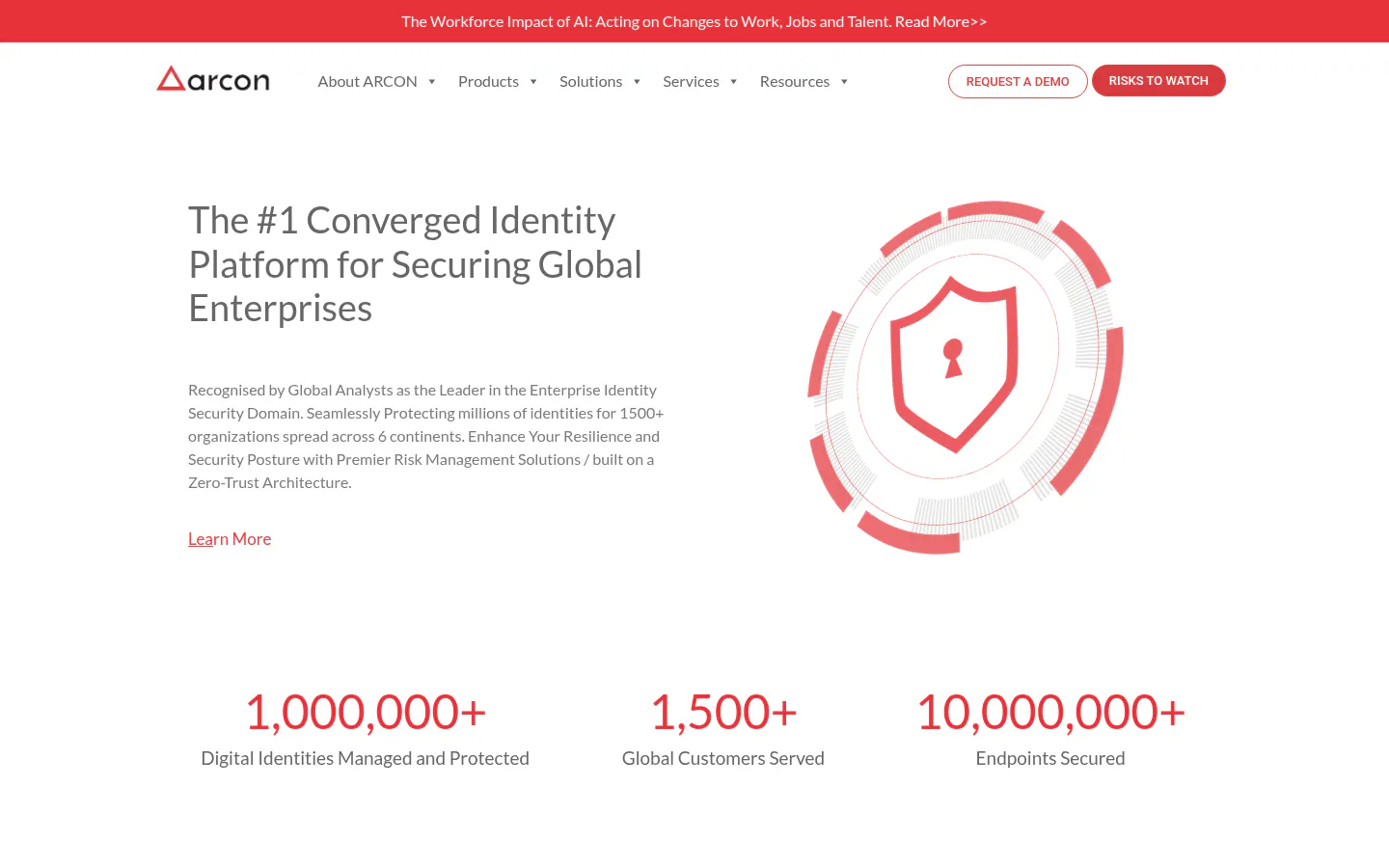
ARCON PAM has 610 Peer Insights reviews averaging 4.8, tied with Segura for the best review score on this list.
Confidence Score: 7.18/10
It's also a six-time presence in Gartner's PAM Magic Quadrant, named a Challenger in 2025, and 70% of its reviewers work at companies under $1B. Deployment runs on-premises or as SaaS, with vaulting, session recording, just-in-time provisioning, and a Global Remote Access module that replaces VPNs for outside users.
So why last? Microsoft. No Entra single sign-on guide, Sentinel connector, or Entra admin account discovery documentation turned up on ARCON's site or Microsoft Learn, which zeroed out that criterion. Its endpoint module documents temporary elevation on Windows, macOS, Linux, and Unix, but not removal of existing local admin rights. ARCON was incorporated in London in 2006 with research and development in Mumbai and lists a Houston office, and KuppingerCole describes its focus as Asia-Pacific and the Middle East. A PeerSpot reviewer, the CTO of a bank, rated it 5 out of 10 and called it "very complex to use."
Best for: companies with operations in Asia-Pacific or the Middle East that want a well-reviewed, cost-conscious PAM platform.
Not ideal for: a Microsoft 365 shop that expects Entra integration out of the box.
Why it ranks #10: Its reviews would put it near the top. The scoring model weighs Microsoft integration because this list is built for Microsoft 365 companies, and ARCON couldn't show it.
The Price of Controlling 10 Admin Accounts
Picture a 300-person company with 10 people who hold admin rights. Only four of the options discussed here publish enough to price that out, so this is the whole list.
- Microsoft Entra ID P2. $10 per user per month on Microsoft's pricing page. Licensing only the 10 admins for Privileged Identity Management comes to $1,200 a year. It covers Entra and Azure roles, not server passwords.
- Devolutions Privileged Access Management. $50 per user per month, so $6,000 a year for 10 users.
- ManageEngine PAM360. $7,995 a year for 10 administrators, support included, plus the cost of the server it runs on.
- Idira Privileged Access Manager. $44,712 for 12 months on AWS Marketplace, but the smallest listed package is 25 users.
Delinea, BeyondTrust, Keeper, Segura, One Identity, Netwrix, and ARCON all require a quote. List prices aren't negotiated prices, and none of these figures includes rollout time. That part is often the bigger line item. Somebody has to find every service account, change passwords without breaking a scheduled task, and convince the finance director that recorded sessions aren't about them.
What Microsoft 365 Already Includes
Before buying any of the 10, check the Microsoft tenant. Two of the most useful privileged access controls cost little or nothing.
Microsoft Entra Privileged Identity Management (PIM) makes Global Administrator and other Entra roles temporary. An admin requests the role, approves with MFA, gives a reason, and loses it when the window closes. It needs Entra ID P2 or Entra ID Governance for the people using it, not the whole company. Microsoft's PIM documentation scopes it to Entra ID, Azure, and Microsoft online services. It doesn't describe a vault for on-premises server passwords or session recording.
Windows LAPS is free. It shipped in Windows updates on April 11, 2023, rotates a local administrator password on each Windows device it manages, and backs it up to Entra ID or Active Directory. If every laptop still shares one local admin password, fix that this week. Zero dollars.
Microsoft Purview Privileged Access Management adds approval for specific admin tasks, but its policy scope is Exchange Online, and Microsoft's setup guide points to Microsoft 365 E5 licensing. Useful. Narrow.
Plenty of cloud-only companies with a handful of admins could stop there, alongside Conditional Access policies in Microsoft 365 that block risky sign-ins. Once there are on-premises servers, shared service accounts, or outside vendors logging in, the tools ranked above start earning their cost.
Matching a PAM Tool to the Team You Have
Start with where the admin accounts live and who will run the tool, then match the deployment model. Cloud tools suit teams with no server capacity to spare, and self-hosted tools suit teams with firm budgets and existing infrastructure.
A few common starting points:
- Fully on Microsoft 365, under 100 users, no on-premises servers? Turn on Entra PIM and Windows LAPS first. Revisit a dedicated PAM tool when service accounts or vendors enter the picture.
- Hybrid Active Directory with file servers and line-of-business applications? Delinea or Idira for a cloud service, Netwrix or ManageEngine PAM360 for self-hosting.
- Outside IT vendors or equipment makers connect in? Compare BeyondTrust Privileged Remote Access, Delinea Privileged Remote Access, and Segura Domum on how sessions get approved and recorded.
- IT team of three already running Remote Desktop Manager? Price the Devolutions PAM package before scheduling any other demo.
- Employees still local admins on their laptops? Endpoint privilege management is the priority, which rules out Devolutions for now.
PAM rarely stands alone. It sits beside single sign-on, MFA, and access reviews, and the IAM best practices for smaller businesses show where each piece belongs. Companies still sorting out how SSO, MFA, and IAM fit together should settle that before layering PAM on top. The same goes for phishing-resistant sign-in, which Microsoft says can stop over 99% of password attacks. A passwordless rollout makes the vault itself harder to reach with a stolen password.
Pilot It on the Accounts That Matter Most
Five of the ten tools offer a free trial or free edition. A two-week pilot on a small, dangerous set of accounts tells a buyer more than a polished demo.
Track four things:
- Discovery results. Count the privileged and service accounts the tool finds that nobody knew about. That number often ends the budget debate.
- Rotation without breakage. Rotate one service account password and watch for failed scheduled tasks or application errors the next morning.
- Admin friction. Time how long it takes an admin to check out a credential and connect. More than a minute, and people start finding workarounds.
- Recording quality. Replay one session and confirm someone could actually tell what happened.
Who owns the tool after the pilot? Somebody has to review session recordings, approve access requests at 11 p.m., and remove a departing employee's rights the same day. If the answer is nobody, that's the real decision.
Where Each Pick Fits
First place goes to Delinea Secret Server because it's the one tool a Microsoft 365 company can trial, deploy as a cloud service, and grow into laptop and vendor controls without switching vendors. Idira is the right call once a dedicated security team and an enterprise audit program exist. KeeperPAM and Devolutions are the practical picks for small IT teams watching every dollar, and the sensitivity test above shows how close they come to the top.
For plenty of companies at this size, the harder part isn't choosing software. It's running PAM week after week once the vendor's onboarding call ends. That work tends to land with whoever owns identity and access management, whether that's an internal team or an outside provider, and it works best when it's scoped as part of a zero trust security plan rather than a standalone purchase.