How Does Ransomware Work? The Attack Lifecycle Explained
Ransomware works in stages. Attackers get in through stolen credentials or an unpatched system, spend days moving through the network, destroy the backups, then encrypt everything and demand payment to unlock it.
Table of Contents
The word shows up in a board meeting and everyone nods. Nobody in the room can say what actually happens between the click and the ransom note. That gap matters, because ransomware protection and recovery budgets get approved in that room, by people working from a movie version of the attack.
Here is the version that shows up in incident reports. Attackers sat inside the network for a median of 14 days before anyone noticed, according to Mandiant's M-Trends 2026. The encryption itself took about 42 minutes.
14 days. Then 42 minutes.
Almost every dollar companies spend on ransomware goes toward stopping the 42 minutes. The 14 days are where the attack is actually won or lost, and they're the part nobody is watching.
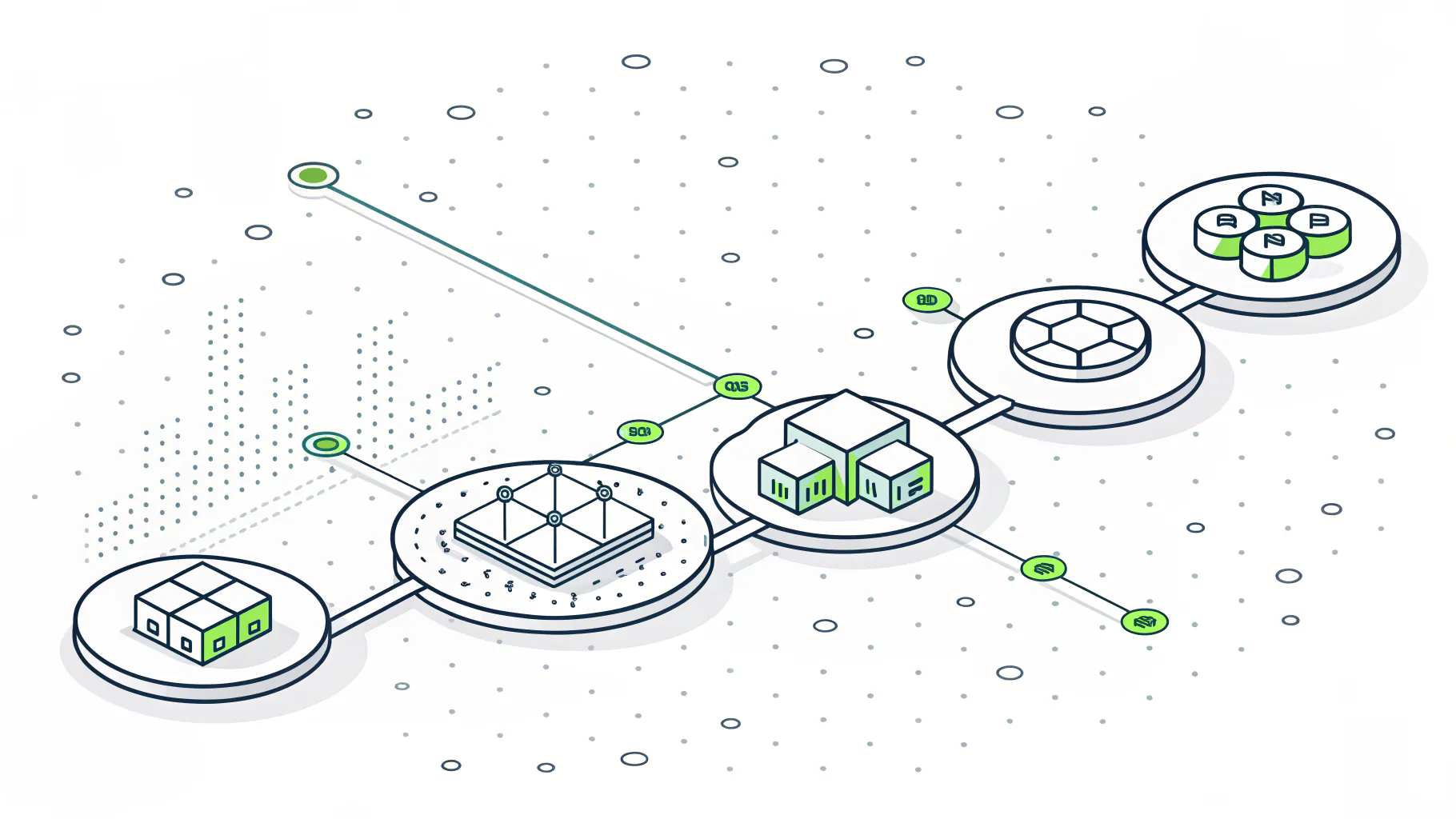
So What Is Ransomware, Actually?
Ransomware is malware that takes your data hostage. It encrypts files so you can't open them, then sells you the key. Modern versions also steal a copy first, so paying stops the leak, not just the lockout.
Two things separate it from every other kind of malware. It wants to be found, but only after the damage is finished. And it goes after your ability to recover, not just your data. Verizon's 2026 Data Breach Investigations Report found ransomware in 48% of all breaches, the highest share it has ever recorded.
Every other category of malware tries to stay quiet forever. A keylogger that gets noticed is a failed keylogger. Ransomware is the opposite. The entire business model depends on you finding out, on one specific Monday morning, in the worst way possible.
That changes what defense means. You aren't trying to keep something out of your network. You're trying to notice a guest who is already inside the building, holding a badge that works, walking past cameras that register nothing out of the ordinary, and behaving almost exactly like an employee right up until the morning they aren't.
48% of breaches. Half. And the people running these operations aren't lone teenagers in hoodies, they're businesses with support desks, affiliate agreements, revenue targets, and a customer service function for victims who can't figure out how to buy Bitcoin.
Stage One. How Do Attackers Get In?
Three doors account for most entries. Stolen or reused login credentials, a phishing email that gets clicked, and an unpatched system exposed to the internet. Which one leads depends heavily on how big you are.
Two of the most-cited reports in security disagree about the top entry point, and the disagreement is the useful part.
Mandiant puts exploits first at 32%, with phishing at 11% and stolen credentials at 9%. Sophos surveyed 2,158 organizations that were actually hit and found close to the reverse. Exploited vulnerabilities dropped to 18%. Malicious email at 26% and phishing at 24% drove half of all incidents between them, with compromised credentials at 23%.
Both numbers are correct. They describe different companies.
Those investigations start inside large enterprises with hardened perimeters and expensive edge equipment, so what breaks there is a VPN appliance or a firewall running a version nobody patched during the last maintenance window. Sophos surveyed a far broader mid-market. In a 60-person distribution company, nobody needs to burn a valuable exploit worth six figures on the open market when someone in accounting has reused a password from a breached retail site, or will happily open an invoice that looks exactly like the one they opened last Tuesday.
If you run 20 to 500 users, read the Sophos number and ignore the Mandiant one. Your front door is a person and a password. That's the whole reason multi-factor authentication, which requires a second proof of identity beyond the password, remains the single highest-return control most companies of that size can turn on.
There's a wholesale market for this now. Initial access brokers break in, package up the access, and sell it on to whoever wants it. Huntress puts the going rate at 500 to 5,000 dollars per network, priced by your size and industry. They never deploy the ransomware themselves. They're suppliers.
Stage Two. What Happens During the Two Weeks Nobody Sees?
Attackers escalate privileges and map the network. They hunt for administrator rights, file servers, and backup systems. This phase runs for days or weeks, quietly, using tools already installed on your own machines.
Privilege escalation means going from the access one employee has to the access your IT administrator has. Domain admin is the top of that ladder, the account that can reach every machine on the network at once. That account is the objective. Everything before it is scaffolding.
Mandiant measured median dwell time, the window between the break-in and anyone noticing, at 14 days in 2025. Up from 11 the year before. And the handoff from the broker who breaks in to the affiliate who deploys the payload now takes a median of 22 seconds.
22 seconds. Your access is resold before the log entry finishes writing.
What makes this phase so hard to see is that almost none of it involves malware. Attackers work through PowerShell, remote desktop, and the same administrative tools your own IT team opens on a normal Tuesday afternoon, which means there is no signature to match, no file to quarantine, and nothing for antivirus to flag because technically nothing malicious has run yet.
Two controls change the odds here more than anything else. Network segmentation splits the network into separate zones so a compromised laptop in sales can't reach the accounting server or the backup appliance. And endpoint detection and response, software that watches behavior on each machine rather than matching known virus signatures, catches the pattern of an admin tool being used at 3 a.m. by an account that has never used it before.
Neither one prevents the break-in. Both of them shrink the 14 days, which is the number that actually decides the outcome.
Stage Three. Why Do They Destroy the Backups First?
Because backups are the only thing that makes paying optional. Attackers delete shadow copies, wipe backup catalogs, and go after backup servers directly, all before a single production file gets encrypted.
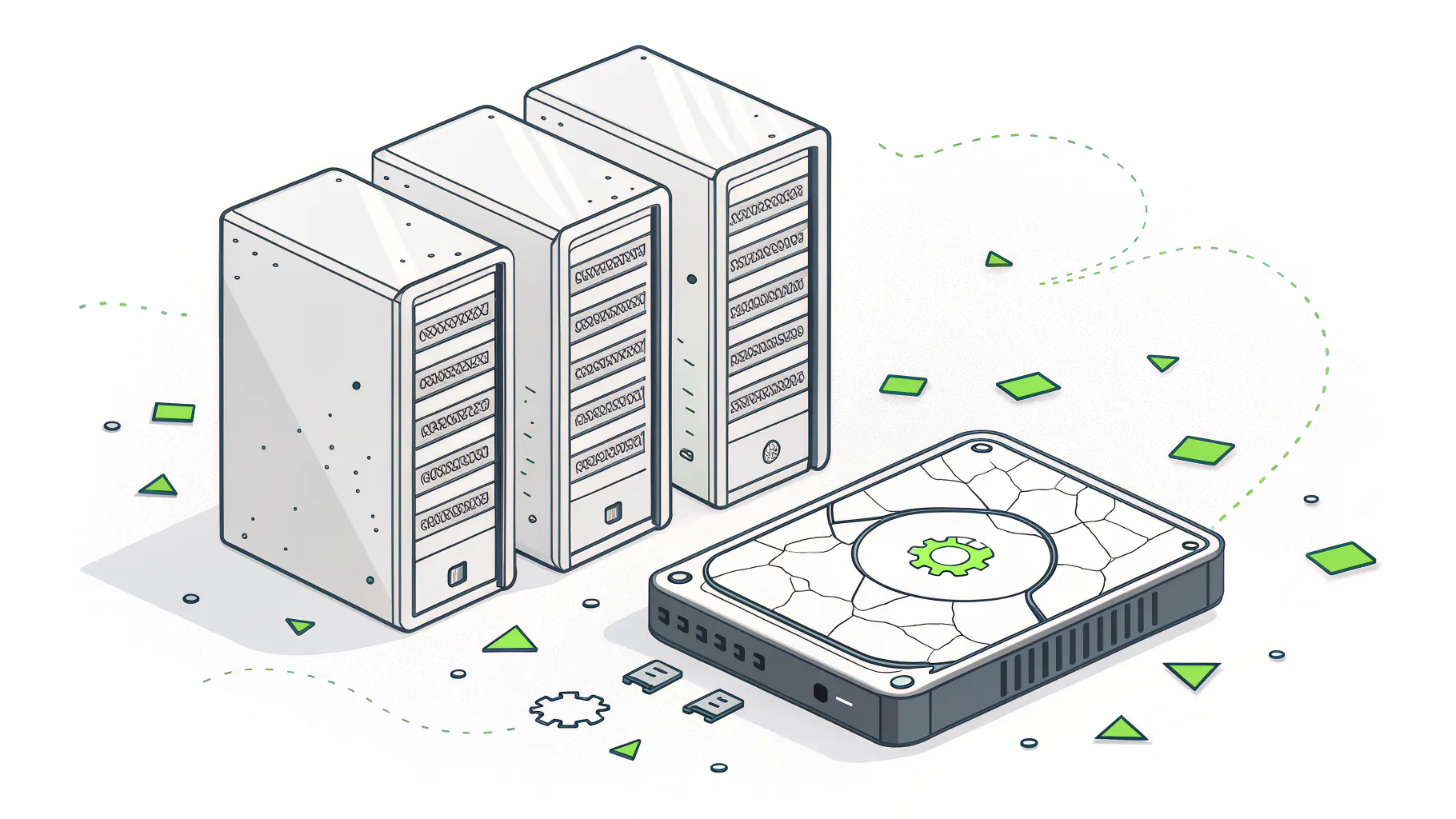
The sequence is remarkably consistent across post-incident reports. Get domain admin. Find the backup infrastructure. Neutralize it. Then encrypt. In that order, every time.
BlackCat, also known as ALPHV, deletes Windows shadow copies, the built-in point-in-time snapshots that let you restore a file to yesterday's version, using Windows' own vssadmin utility as part of installing the encryptor. Akira has made backup servers a signature target, and Cyber Centaurs reports seeing Veeam servers hit within the first 48 hours of intrusion in a growing share of its cases.
So when a leadership team says we have backups, that's a claim, not a fact. The question underneath it is narrower. Can your backups be reached, modified, or deleted by an account that has domain admin rights? If the answer is yes, then what you own isn't a recovery capability, it's a second copy of your data sitting on the same network, reachable with the same credentials, waiting its turn in the same encryption queue.
Immutable backups, meaning copies that physically cannot be altered or deleted for a set retention window no matter which account issues the command, are the fix. So is keeping at least one copy offline or in a separate account with separate credentials. The federal StopRansomware Guide from CISA, the FBI, and the NSA puts this near the top of its recommendations, and it's the first thing worth auditing in any backup and disaster recovery setup.
Stage Four. How Fast Does Encryption Happen?
Faster than any human response. Splunk's SURGe team measured 10 ransomware families encrypting roughly 100,000 files. The median took 42 minutes and 52 seconds. LockBit finished in 5 minutes and 50 seconds.
The full study ran each family against the same test set, roughly 100,000 files totalling 53.93 GB. The spread between the fastest and slowest was enormous, but even the slow end doesn't leave room for a human to intervene.
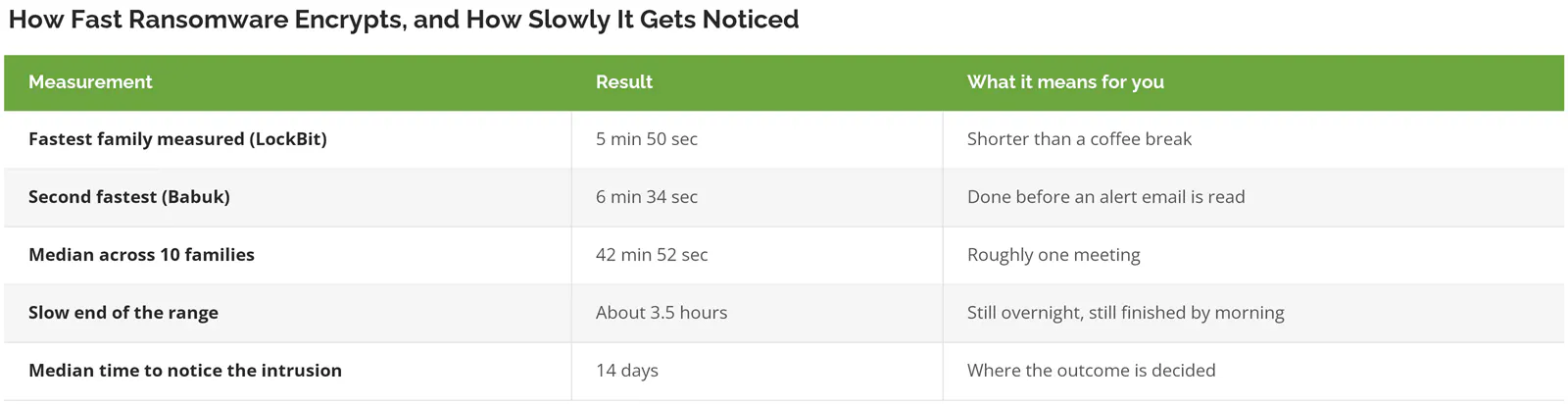
Compare the last row to the rest of the table. That's the entire argument for spending on detection instead of on faster restore. By the time encryption starts, your options have collapsed to whatever your backups can do for you, which is why a tested recovery time objective beats a theoretical one every time.
Stage Five. How Does the Extortion Work?
Two levers, sometimes three. They encrypt so you can't operate, they leak stolen data so you can't stay quiet, and they contact your customers or regulators so you can't manage the story on your own timeline.
Single extortion, the original model, only worked when victims had no backups. Once companies started restoring instead of paying, the operators added data theft. That is double extortion, and it is now standard. A third layer, direct pressure on customers, partners, and regulators, shows up in the more aggressive campaigns.
The 2026 numbers tell a story that's better than it looks and worse than it sounds. Both at once.
- Encryption succeeded in 56% of attacks last year, up from 50%.
- Backup-based recovery jumped to 66% of encrypted cases, a 12-point gain. Companies are getting better at this.
- 48% of encrypted victims still paid.
- Verizon puts the median payment at 139,875 dollars, down from 150,000.
- And the average recovery cost, separate from any ransom, hit 1.7 million dollars per incident.
Read those last two together. The ransom is not the bill. It's a line item on the bill. Paying 139,875 dollars does not make the 1.7 million go away, because the forensic investigation, the outside legal review, the customer and regulator notifications, the overtime for everyone rebuilding servers, and the weeks of running the business at half speed all happen whether or not a single Bitcoin changes hands. That's the piece missing from most conversations about whether to pay, and it's covered in more depth in our breakdown of the real cost of a ransomware attack.
One more thing worth checking before you need it. Most policies now require specific controls to be in place at the time of the incident, not at the time you signed. If your carrier's questionnaire said you had MFA everywhere and you don't, the claim gets interesting. The current cyber insurance requirements are worth a read against your actual environment rather than your renewal paperwork.
Where the Chain Breaks
Ransomware is a chain of dependent steps. Break any link and the rest fails. That is the useful thing about understanding the lifecycle, because it turns a vague fear into five specific decisions.
- Entry. MFA on every account that touches email, remote access, or the VPN. Patch anything internet-facing on a schedule you can prove.
- Segment the network and strip standing admin rights from daily-use accounts, so that compromising one person's login buys an attacker one person's access rather than a running start toward the file server, the backup appliance, and every workstation in the building at the same time.
- Backups. One immutable copy. One offline or separately credentialed copy. Then restore from them, on purpose, before you have to.
- Who is watching the network at 3 a.m.? If nobody is, encryption is the stage where you find that out. Usually on a Monday.
- Extortion is the only stage with no technical control. By then it's a business decision, and the quality of that decision depends entirely on work done during the other four.
Skip most of this if you already run a full-time security team with 24/7 monitoring and tested immutable backups. You're solving a different problem, and a page like this one isn't it.
For everyone else, it's usually a company whose IT grew faster than its structure. The tools got bought. The monitoring never got assigned to anyone. Consilien works with companies between 20 and 500 users, mostly in manufacturing, distribution, professional services, and real estate, and what we sell is not another tool. It's the structure and the monitoring around the tools you already have, delivered as managed cybersecurity rather than a project that ends.
What This Means for Your Next Decision
Two things to take away. Ransomware isn't an event, it's a two-week intrusion with a 42-minute ending, and almost everything that determines the outcome happens before the encryption starts. And backups only count if an attacker holding your administrator credentials can't reach them.
Go find out which of those two you can actually answer today. Not in theory. Pull up your backup configuration and check whether a domain admin account can delete the last copy. Check whether anything watches your network between midnight and 6 a.m.