What Is a Next-Generation Firewall (NGFW)?
A next-generation firewall (NGFW) inspects the actual content, application, and user behind network traffic, not just its source and port. It adds deep packet inspection, application control, and built-in intrusion prevention to what a traditional firewall does with simple allow-and-block rules.
Table of Contents
An NGFW is the difference between a guard who checks IDs at the door and one who also watches what people do once they are inside. It reads the traffic, not just the label on it. It's why the device now anchors most managed cybersecurity programs. But here is the part the product pages leave out. The firewall protecting your network has quietly become one of the first things attackers go after.
Most people picture a firewall as a wall. Something sits at the edge of the network, good traffic gets in, bad traffic stays out. That was a fair picture in 2005. A traditional firewall looked at where a packet came from and which port it used, then made a yes-or-no call. It never asked what was actually inside the packet. A next-generation firewall does, and that one shift is why it now sits at the center of serious network security.
So what actually changed? Traffic got smarter, and the people abusing it got smarter faster. Applications stopped announcing themselves on tidy, predictable ports. Malware learned to ride inside normal-looking web sessions. A firewall that only reads the envelope misses all of it. The whole reason NGFWs exist is to open the envelope and read the letter.
What Is a Next-Generation Firewall, in Plain Terms?
A next-generation firewall is a firewall that understands context. It knows which application is running, which user is behind it, and what the traffic is trying to do, then enforces a policy based on all three.
A traditional firewall makes its decisions using ports and IP addresses. An NGFW keeps those rules and stacks three things on top. It identifies the actual application no matter which port it uses. It ties traffic to a specific person or group. And it inspects the content of the traffic for threats. Same job. Far more context.
Gartner coined the term more than a decade ago to describe firewalls that fused classic packet filtering with application awareness and intrusion prevention in one device. The label stuck. Today almost every business-grade firewall from vendors like Palo Alto Networks, Fortinet, and Cisco is technically an NGFW, whether the datasheet leads with the phrase or not. So the interesting question is no longer whether you own one. It is whether anyone has switched on and tuned the features that make it next-gen in the first place. Plenty of them run with the good stuff turned off.
How Is an NGFW Different From a Traditional Firewall?
Short version. A traditional firewall asks where traffic came from. A next-generation firewall asks what the traffic is and what it is doing. One reads the envelope. The other reads the letter.
A traditional, or stateful, firewall filters by port, protocol, and IP address. A packet shows up on an approved port, it passes. An NGFW performs deep packet inspection, reading the body of the packet instead of only the header, which lets it catch threats and policy violations that would sail straight through a port-based rule, as Cloudflare explains.
The gap shows up across six dimensions.
- Inspection depth is the core split. A traditional firewall reads the packet header, the port, IP, and protocol. An NGFW reads the full packet, header and payload both.
- Application awareness. The old firewall judges by port alone and has no idea what app is behind the traffic. An NGFW identifies the actual application at Layer 7.
- User identity. Traditional rules bind to an IP address. NGFW rules follow the actual user or group, so finance can reach something the warehouse cannot.
- Threat prevention runs deeper. A traditional firewall leans on basic allow-and-block rules, while an NGFW adds built-in intrusion prevention that watches for exploit patterns.
- Encrypted traffic. The legacy box waves HTTPS through uninspected. An NGFW can decrypt and inspect TLS sessions when you enable it.
- Cost and complexity cut the other way. Traditional firewalls are cheap and simple. NGFWs cost more and need real tuning to earn what you paid.
Worth being straight about the trade-off. All that inspection costs something. NGFWs run pricier, they are more work to manage, and deep inspection can add latency when the hardware is undersized or the rules are a mess. The capability is only free on a spec sheet.
How Does a Next-Generation Firewall Actually Work?
An NGFW inspects a single packet at several layers at once. It identifies the application, checks who sent it, scans the content for known attacks, and decrypts encrypted sessions when configured to, all before it decides to let the traffic through.
Here is the mental model. A traditional firewall sees a packet on port 443 and asks one question. Is this port allowed? An NGFW sees the same packet and asks four. What application is this really? Which user sent it? Does the content carry malware? Is this normal behavior for that user? Same packet, a very different interrogation.
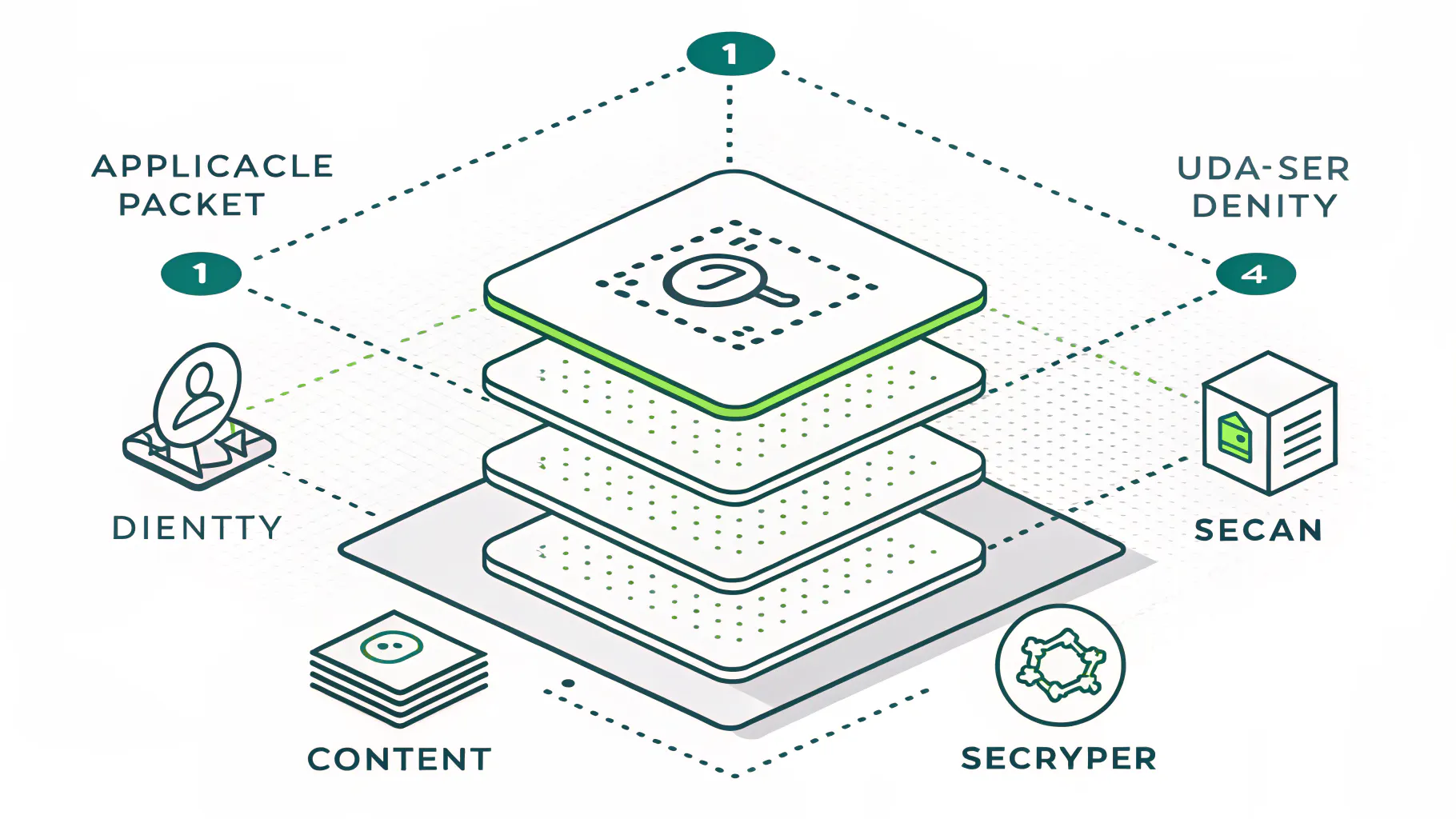
- Deep packet inspection reads the body of the packet, not just the header, checking for malware signatures and data that should not be leaving your network, as Fortinet describes it.
- Application awareness lives at Layer 7. The firewall can tell a sanctioned app apart from a risky one tunneling through the same port.
- User identity ties every rule to a person, not just an IP, so a policy can say finance reaches this and nobody else does.
- Intrusion prevention comes built in. An IPS watches traffic in real time and blocks known exploit patterns as they hit.
- Encrypted traffic inspection matters because most malicious traffic now hides inside HTTPS. An NGFW can decrypt, inspect, then re-encrypt those sessions. If you turn it on.
- Threat intelligence feeds keep the firewall current, pulling fresh indicators from the vendor cloud so it recognizes attacks it has never seen on your network before.
Your Firewall Is Now a Target, Not Just a Shield
The device guarding your network has become one of the most attacked things on it. In 2025, exploiting edge devices and VPNs jumped to 22% of vulnerability-based breaches, up from 3% the year before.
That figure comes from Verizon's 2025 Data Breach Investigations Report, which studies tens of thousands of real breaches. Edge devices, the category that includes firewalls and VPN gateways, went from a rounding error to nearly a quarter of all vulnerability exploitation in a single year. Call it an eightfold jump. Across the board, exploiting vulnerabilities as a way in climbed 34% and now sits behind roughly 20% of breaches, per Infosecurity Magazine.

Why the shift? Attackers followed the logic. A firewall sits at the edge, exposed to the internet by design, and it can see everything behind it. Compromise the firewall and you skip every internal control at once.
And patching does not save you the way it once did. Verizon found that for new critical flaws in these devices, the median time between public disclosure and mass exploitation was zero days. Zero. Meanwhile only about 54% of known edge-device vulnerabilities got fully patched, and the ones that did took a median of 32 days to close. Do the math. Attackers move in hours. The patch cycle moves in weeks. That gap is exactly where these breaches live, which is why a firewall nobody reviews turns into a liability instead of a defense. A quick vulnerability assessment tends to surface an exposed, unpatched edge device faster than almost anything else.
Why a Next-Generation Firewall Isn't Enough on Its Own
An NGFW guards the perimeter. The trouble is that most modern work does not happen at a perimeter anymore. Remote laptops, cloud apps, and stolen passwords all operate outside the firewall's field of view.
Think about where your people actually work. Someone logs in from a home network, hits a cloud app directly, and never routes through the office firewall at all. The firewall protecting headquarters cannot inspect an endpoint sitting in somebody's kitchen, a point Verizon Business makes plainly. Three blind spots matter most.
- Remote endpoints. A device off the network is a device the firewall cannot see.
- Stolen credentials slip past every rule. When an attacker signs in with a valid password lifted through phishing, nothing flags it, because the traffic is legitimate. Technically.
- Encrypted blind spots. Leave TLS inspection switched off and threats hiding inside encrypted sessions pass right through.
This is why real security is layered. The firewall handles the network edge. Managed detection and response watches the endpoints wherever they roam. A SIEM platform collects logs from the firewall and everything else, then correlates them so a slow, quiet attack actually gets caught. Pull any one layer out and the other two are left covering a hole. No single box does all of it, and any vendor telling you otherwise is selling something.
Do You Actually Need an NGFW, and Who Should Run It?
If your business stores customer data, handles payments, or has to meet any compliance standard, yes. The harder question is not whether you need the firewall. It is whether anyone is actually managing it.
Here is the uncomfortable stat. Gartner has estimated that roughly 99% of firewall breaches trace back to misconfiguration, not to a flaw in the product itself, a figure reported via Akamai. Read that again. The box is rarely the weak point. The settings are. A next-gen firewall running default rules with half its features dark is expensive decoration.
You almost certainly need a well-run NGFW if any of these describe you.
- You process payment cards, protect customer records, or hold anything an attacker would find worth taking.
- You carry cyber insurance or answer to PCI, CMMC, or SOC 2 requirements.
- Your team works remotely, spans multiple sites, or leans hard on cloud apps.
You can probably keep it simple if you are a handful of people, run everything through well-secured cloud services, and store nothing sensitive on-site. A quality business router with a basic firewall may genuinely cover you. Bias disclosed, we earn our living when companies need this managed, so weigh that accordingly. But a five-person shop with no compliance burden does not need an enterprise NGFW, and I would tell you so before you spent the money.
The real decision is ownership. An NGFW is not a plug-it-in-and-forget-it appliance. Rules drift. New apps show up. Threat feeds have to stay current, and someone has to actually read the alerts the thing generates. When nobody on the team owns that work, the firewall quietly stops protecting you and no alarm goes off to say so. That is the honest case for handing it to a team that does this every day, and for penetration testing the setup once a year to confirm it holds up.
Where a Next-Generation Firewall Fits in Compliance
For most compliance frameworks, a properly configured firewall is not optional. It is one of the first controls an auditor checks, and your evidence has to show it is maintained, not merely installed.
PCI DSS puts it right up front. Requirement 1 calls for installing and maintaining network security controls, and it expects firewall rules to be reviewed at least every six months, according to SecurityMetrics. Not configured once and forgotten. Reviewed, on a schedule, with a paper trail.
CMMC leans on the firewall across several control families, from access control to system and communications protection. It also expects the firewall to send its logs somewhere they get watched, which in practice means feeding them into a SIEM for audit and accountability. The firewall becomes a source of evidence, not just a gate. If you are working toward any framework, map the firewall into your broader compliance readiness plan early, because bolting it on at audit time is exactly where these projects stall.
What This Means for Your Business
A next-generation firewall is a real upgrade over the old model. It reads applications, users, and content instead of only ports, and it belongs in nearly every business network. Three things are worth holding onto.
- The capability only counts when it is switched on and tuned. An NGFW nobody manages is a box with a login screen.
- The firewall is a target itself now, so patching and regular review are part of owning one.
- It guards the edge, not the endpoints or the identities, so treat it as one layer of several and never the whole plan.
If you are not sure whether your firewall is actually configured to protect you or just plugged in and blinking, that is worth a real look. Speak to a security expert who can review the rules, the settings, and whatever is watching the logs. It usually takes one conversation to learn whether the box is working for you or simply sitting there.