Business Continuity vs Disaster Recovery for Manufacturers
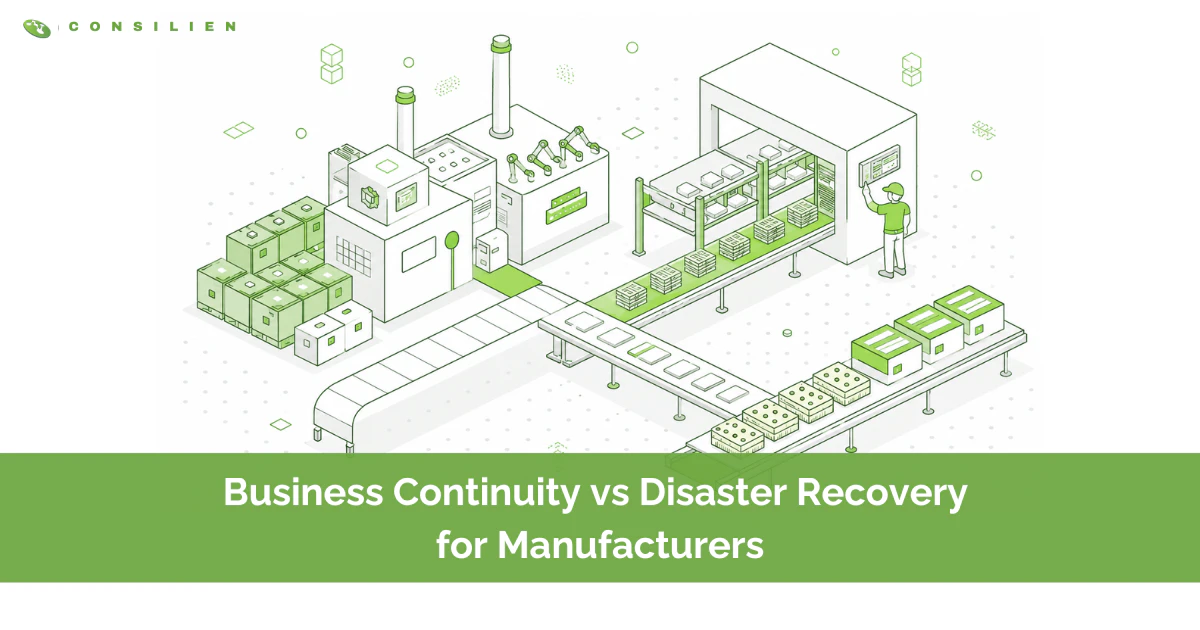
Disaster recovery restores your IT systems and data after something breaks. Business continuity keeps your plant producing while that restore happens. You need both, and they are not the same thing. Disaster recovery is the part. Business continuity is the whole. If you want the full picture of how these fit together, start with our backup and disaster recovery overview, then come back here for the manufacturing-specific version.
Table of Contents
Most manufacturers buy disaster recovery and assume they bought continuity. They sign a backup contract, see "failover" in the SOW, and move on. Then a server goes down at 6 a.m., the line stops, orders sit, and the recovery plan that looked complete on paper turns out to cover the data and nothing else. The servers come back. The shift is already gone.
This guide breaks down the difference in plant terms, the two numbers that govern both plans, and where manufacturers most often get caught out. The goal is not to make you a continuity expert. It is to help you decide what you actually need and how to tell whether what you have is real. A real business continuity and disaster recovery plan covers both halves, in that order.
Business continuity vs. disaster recovery: the one-sentence difference
Disaster recovery is how you get IT back. Business continuity is how you keep shipping while IT is down. Riskonnect frames it cleanly: continuity has the broad scope, covering people, supply chain, customer communication, and operations, while disaster recovery has the narrow scope of restoring what was lost, usually data and systems. One keeps the business alive. The other rebuilds a piece of it.
What disaster recovery actually covers
Disaster recovery is the technical playbook. Restore the ERP database. Fail over the virtual machines. Rebuild the file shares. Bring the MES back online. It is measured in two numbers, recovery time and recovery point, which we get to below. If your plan is mostly about backups, replication, and a secondary site, that is disaster recovery. It is necessary. It is not sufficient.
What business continuity actually covers
Business continuity is everything that keeps orders moving while the technical recovery runs in the background. Who runs production scheduling on paper if the system is unreachable. How the floor records output during the outage. Which customers get called first. Whether a second supplier can cover the parts you cannot ship. How payroll runs on Friday if the outage starts Wednesday. Continuity is an operations problem wearing an IT costume.
Why disaster recovery sits inside continuity, not beside it
Here is the part most vendors skip. Disaster recovery is a component of your continuity plan, not a parallel track. The continuity plan decides what has to keep running and how fast. The disaster recovery plan executes the IT side of that decision. Build them in that order and they reinforce each other. Build disaster recovery alone and you have restored systems with no plan for the four hours before they come back.
Here is the difference at a glance.
- Scope. Disaster recovery covers IT systems, data, and infrastructure. Business continuity covers the entire operation: people, supply chain, communications, and production.
- Goal. Disaster recovery restores what was lost. Business continuity keeps critical operations running.
- Owner. Disaster recovery belongs to IT or your MSP. Business continuity belongs to operations leadership, with IT at the table.
- The question it answers. Disaster recovery asks how do we get systems back. Business continuity asks how do we keep shipping while they come back.
- On the floor. Disaster recovery recovers the ERP and MES from backup. Business continuity runs scheduling manually, calls key customers, and shifts to a backup supplier.
Why the distinction matters more on a factory floor
For an office, a systems outage is an inconvenience. People work from notes and catch up later. For a manufacturer, the systems are wired to the machines, and when they stop, the line stops. That is the difference, and it is expensive.
Unplanned downtime now costs the average manufacturer roughly $260,000 per hour, and for automotive plants the figure runs as high as $2.3 million per hour. ABB puts industrial downtime at up to $500,000 an hour for many operations, happening as often as every week. More than six in ten manufacturers reported unplanned downtime in the past year. This is not a rare-event problem. It is a Tuesday problem.
The risk got worse for a structural reason. The old air gap between your IT network and your operational technology, the PLCs and controllers and machines, has mostly collapsed. Trustwave's 2025 manufacturing report describes how remote access tools, cloud connectivity, and vendor integrations quietly connected systems that used to be isolated. The practical result: an IT outage is now a production outage. A ransomware event that ten years ago locked your email now stops your presses.
So when a vendor sells you "disaster recovery" and you nod along, ask the uncomfortable question. If this fires at 6 a.m., does the line keep running, or does it just come back faster? Those are different products. Most manufacturers buy the second and budget for it as if it were the first.
The two numbers that run both plans: RTO and RPO
Every backup conversation eventually comes down to two acronyms. Learn them, because they are how you turn "we should be protected" into a spec a vendor can be held to.
RTO, in plant terms
Recovery time objective is how long a system can be down before the damage is unacceptable. Commvault defines it as the target window for restoring systems and resuming operations. For a manufacturer, do not think of it as how long until the server is up. Think of it as how long until the line is moving and orders are shipping. Your RTO for the ERP is not an IT preference. It is the number of hours of stopped production your business can absorb before you start missing customer commitments.
RPO, in plant terms
Recovery point objective is how much data you can afford to lose, measured in time. An RPO of one hour means that after a failure, you can lose at most the last hour of work. In a plant, that hour is real output: production counts, quality records, shipments scanned, transactions posted. A four-hour RPO on your MES means that after an incident, four hours of run data may simply be gone, and someone is reconstructing it from the floor.
Manufacturers commonly land on a 4 to 8 hour RTO and a 1 to 4 hour RPO for core production systems, tightening those windows where supply-chain dependencies are unforgiving. There is no universal correct answer. The right numbers come from one place, and it is not a backup brochure. It is the analysis below.
Start with a business impact analysis, not a tool
The most common mistake is buying the recovery technology before deciding what has to recover first. That is backward. The business impact analysis comes first, and it is the document both plans are built on. We covered the full method in our guide to what a business impact analysis is, so here is the manufacturing-specific version.
A business impact analysis ranks your operations by how badly and how fast their loss hurts. CISA's Ready.gov describes it as the process that identifies critical functions and the timeframe in which they must be recovered. NIST SP 800-34, the federal contingency planning standard, makes the same point structurally: the business impact analysis is step one, and every recovery strategy that follows inherits its priorities.
For a manufacturer, the analysis asks a blunt question of each system. If this stopped right now, what breaks, how badly, and how fast does it get worse? Sales order entry, production scheduling, the MES, shipping and label printing, quality and compliance records, payroll. Some of those can wait a day. Some stop revenue in an hour. The business impact analysis is what tells you which is which, and that ranking becomes your RTO and RPO targets. The output is not a gut feeling. It is a prioritized recovery order you can hand to an engineer.
Where ransomware breaks a plan that looked fine on paper
You cannot write about manufacturing recovery in 2026 without writing about ransomware, because attackers have decided your sector is the soft target. Manufacturing absorbed roughly a 56% surge in ransomware in 2025 and remains the most-attacked industry, in part because a stopped line creates enormous pressure to pay fast. Sophos found recovery for manufacturers frequently runs into weeks, not the hours a clean disaster recovery test implies.
Here is why this wrecks plans that passed their last review. Ransomware does not politely lock your live systems and leave the backups alone. Roughly 89% of incidents now involve data exfiltration, and attackers actively hunt for and delete backups before they trigger the encryption, specifically to take recovery off the table. A backup that the attacker can reach is a backup the attacker can destroy.
The defense is an immutable copy. Acronis describes the modern 3-2-1-1-0 rule: three copies, on two media types, one offsite, one immutable or air-gapped, with zero backup errors verified by regular automated testing. The immutable copy is the one ransomware cannot alter, not by an administrator, not by an application, not by the malware. If your current plan does not include an immutable, tested copy, you do not have a ransomware recovery plan. You have a hope. Our breakdown of immutable backup strategies walks through how to build one, and our manufacturing cybersecurity work covers the OT side that ransomware now targets.
Building a plan that actually holds: a manufacturer's checklist
If you want to move from we have backups to we can keep producing, work through these in order. Each one feeds the next.
- Run the business impact analysis first. Rank every system by how fast its loss stops revenue. This sets your priorities and your recovery order.
- Set an RTO and RPO per system, not one number for everything. Your ERP and your conference-room booking tool do not deserve the same recovery budget.
- Make at least one backup copy immutable. Air-gapped or write-protected, beyond the reach of an administrator account or ransomware. Verify it restores.
- Decide your alternate site strategy. Hot, warm, or cold changes your recovery time and your cost dramatically. Our guide to hot vs. warm vs. cold recovery sites covers the tradeoff.
- Write the manual workarounds. How the floor records output, how scheduling runs, how customers get told, all on paper, for the window before systems return. This is the continuity half almost everyone skips.
- Test it like it is real. An untested plan is a document, not a capability. Run drills that pull the plug, not tabletop reviews that read the plan aloud. Our piece on disaster recovery drills shows how to structure one.
- Lock down OT and vendor access. The converged IT/OT network and third-party remote tools are how most incidents start. Treat them as part of the recovery plan, because they are part of the attack.
Where most manufacturers get this wrong
After enough of these engagements, the same four mistakes show up. None of them are exotic. All of them are expensive.
They treat backup as continuity. A backup is a copy of data. Continuity is a plan for running the business while that data is being restored. Owning the first and calling it the second is the single most common gap we find, and it surfaces at the worst possible moment.
They never test, so they never actually have a plan. The plan that has not been run under pressure is a theory. We have watched four-hour RTO plans take three days because no one had ever tried to restore the full stack in order. Find that out in a drill, not in an incident.
They give the whole thing to IT and walk away. Disaster recovery is IT's job. Business continuity is not. If operations leadership is not in the room deciding what must keep running and writing the manual procedures, you have a recovery plan with a hole shaped like your factory floor.
They forget the machines are on the network now. Plans written for a world where OT was air-gapped do not survive a world where it is not. If your recovery plan does not mention the controllers, the historian, and the vendor VPN, it is protecting the office and leaving the plant exposed.
How Consilien helps manufacturers stay running
We build both halves for manufacturers, in the right order. The business impact analysis sets priorities. The disaster recovery design hits the RTO and RPO those priorities demand, with immutable, tested backups. The continuity plan covers the people and the procedures for the hours before systems return. And because we run the security side too, the OT and vendor-access exposure that ransomware exploits gets handled as part of the same engagement, not bolted on later.
If you want the broader framework first, our backup and disaster recovery overview and our manufacturing disaster recovery and business continuity page lay out how the pieces connect. When you are ready to find out whether your current plan would actually hold, that is the conversation to have.