IT Infrastructure for Warehouse and Distribution in the Inland Empire
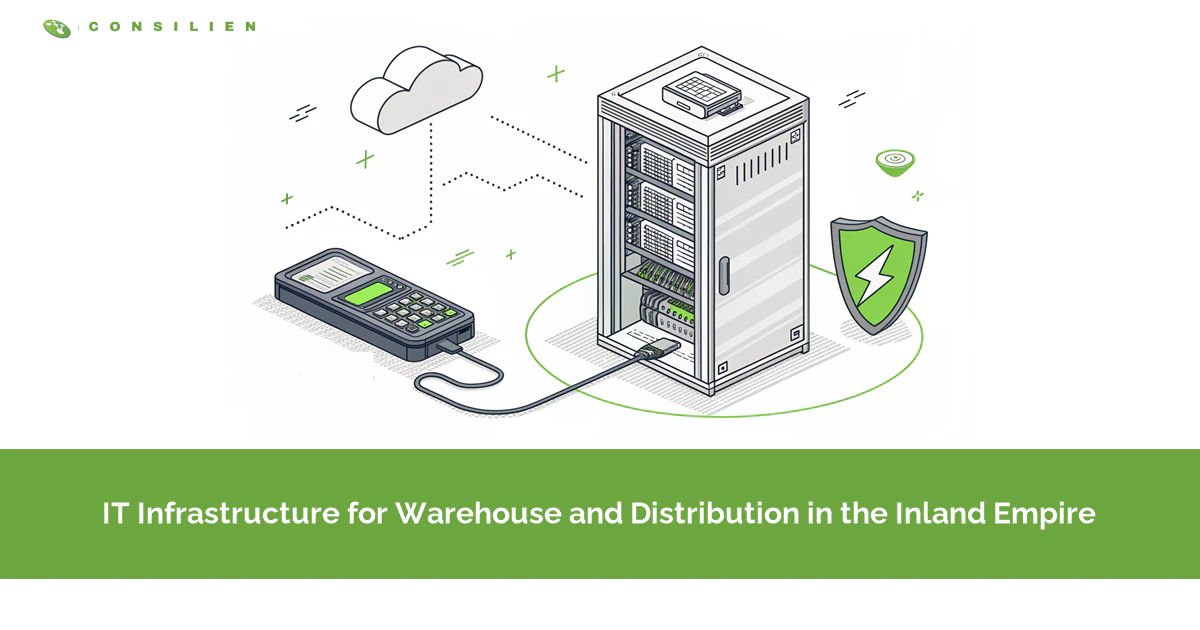
IT infrastructure for warehouse and distribution in the Inland Empire rests on six layers. Backup power, two internet paths, a separate equipment network, Wi-Fi built around racking, patched handhelds, and a tested recovery plan for the WMS and EDI.
Table of Contents
It's 3:40 a.m. at a cross-dock (a building where freight moves straight from inbound trucks to outbound ones) in Fontana. A picker scans a pallet label, the handheld spins, and the screen says the WMS can't be reached. Ten feet closer to the dock door, it works again.
Nothing in that building is broken the way an IT ticket describes broken. The server's up. So is the internet. The building is the problem, and that's why managed IT services in the Inland Empire look so different for a distributor than for an office in Riverside with the same headcount.
A warehouse management system, or WMS, is the software that tells every picker where to go and records every move of every pallet. When it can't reach a scanner, the floor slows. When it goes down, the floor stops. The trailer due out at 6 sits at the door. Seal open, half loaded.
Why does warehouse IT break differently in the Inland Empire?
Because the buildings are huge, full of steel, and busy around the clock. Scanners, label printers, conveyors, and dock cameras spread across hundreds of thousands of square feet, often on three shifts. Small IT gaps turn into missed trucks. Fast.
IT for logistics is a big deal here, because the region runs on this work. A UC Riverside report on transportation, distribution, and logistics called it the primary source of jobs in San Bernardino County and the second largest employer in Riverside County. The building stock? Staggering. Kidder Mathews counts about 719 million square feet of industrial space in the Inland Empire, with total vacancy at 8.3% in the third quarter of 2026.
Vacancy that high has a side effect nobody budgets for. Tenants move. A 3PL (a third-party logistics company that runs warehouses for other brands) wins a contract, signs a lease in Perris, and needs the network live in an empty concrete box within weeks, usually before anyone has walked it with a real scanner.
Office IT assumes a person, a laptop, and a desk. A distribution building has devices nobody owns, equipment that talks to the network with no human involved, and a hard deadline every time a trailer backs in. Different animal. It's why Consilien has a dedicated page for IT for distribution companies instead of treating a warehouse like a very large office.
What happens to your operation when SCE shuts off the power?
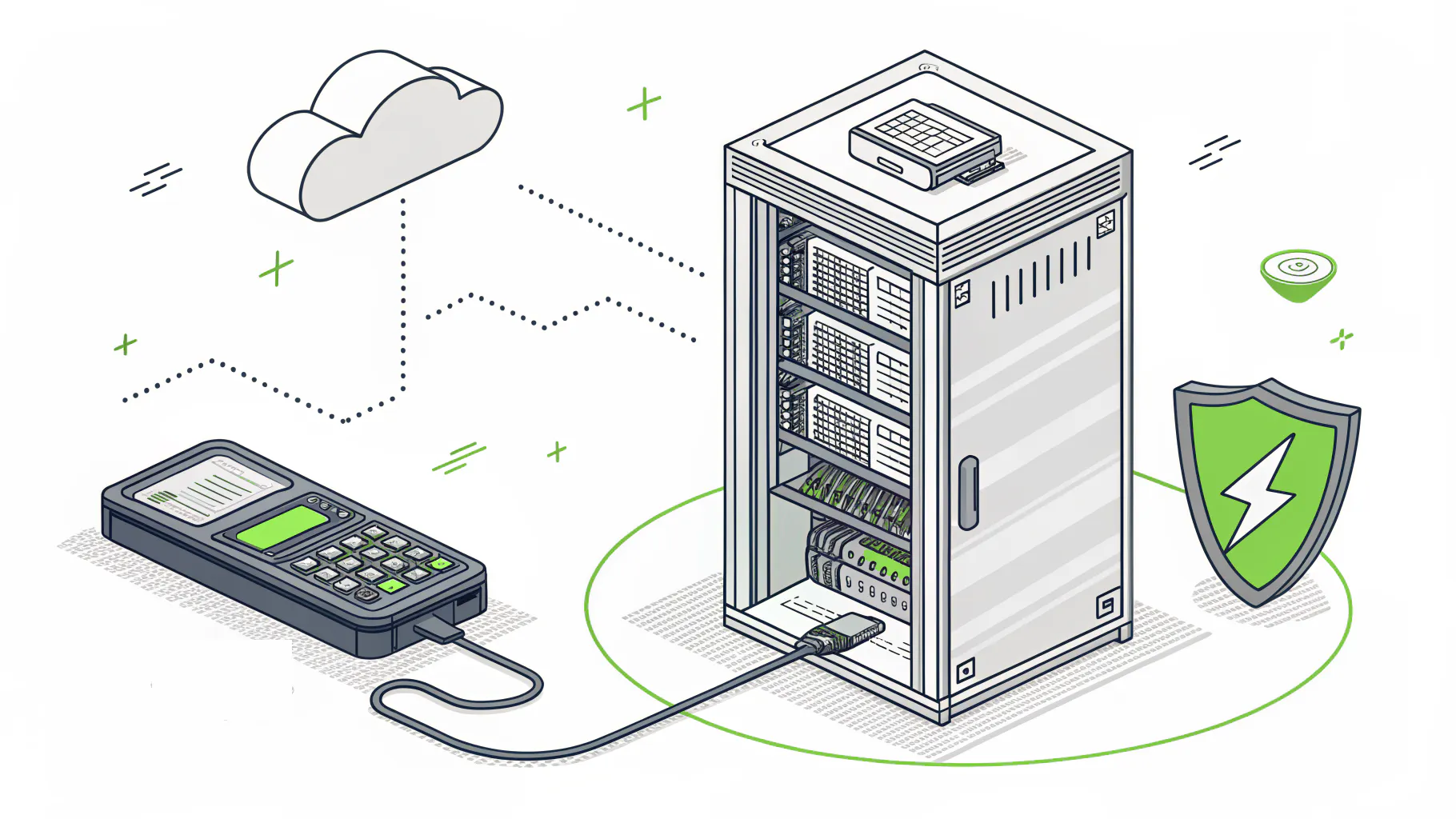
Everything without a battery or generator behind it stops. Southern California Edison's Public Safety Power Shutoffs, where the utility cuts power to lower wildfire risk, have reached Riverside and San Bernardino counties, and in January 2025 the longest one ran 15 days.
SCE's own post-event report says the shutoff that ran from January 2 to January 17, 2025 cut power to 363,196 customers in eight counties, Riverside and San Bernardino among them, and called it the largest and most complex since the program started. SCE opened a community resource center in Fontana to support customers in San Bernardino County. Across two January events, the CPUC counted 515,589 customers and 10,174 critical facilities de-energized.
Fifteen days. No battery closet covers that.
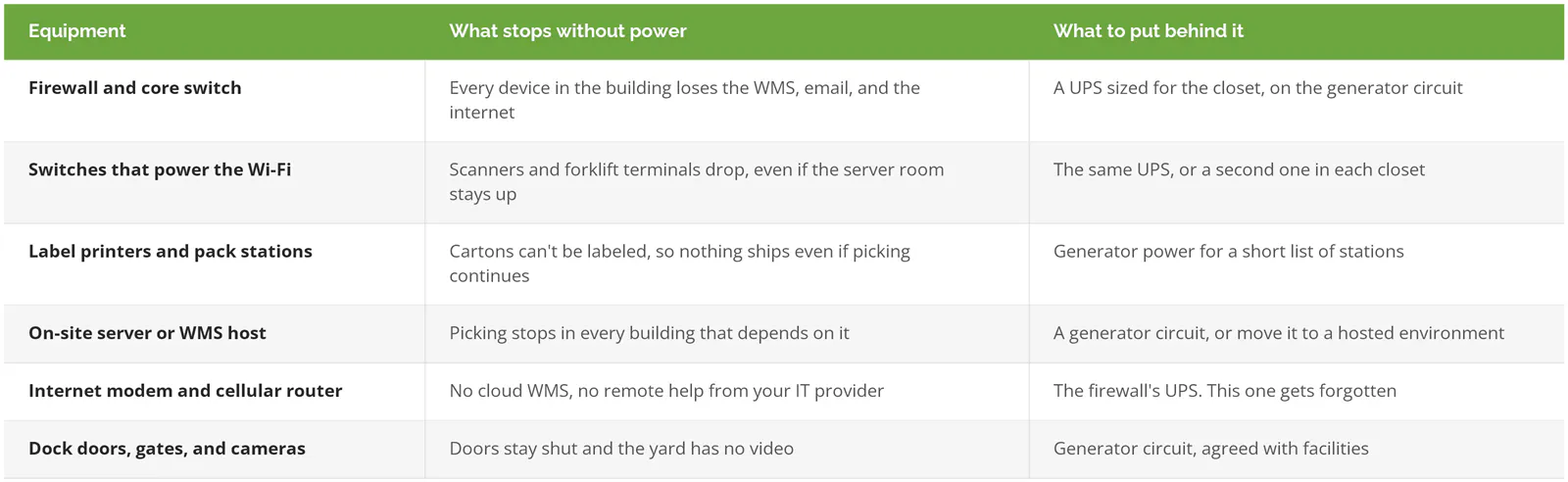
Access points don't plug into the wall. They draw power through the network cable from a switch, a setup called power over Ethernet, so if that one switch isn't on a battery, the floor's Wi-Fi dies with the lights while the server room hums along on its UPS. Easy to miss.
Batteries buy you minutes and a clean shutdown. A generator buys you a shift.
Got a building up against the foothills in Fontana, Rancho Cucamonga, or Redlands? Walk over to facilities this week and get a straight answer on which circuits the generator really carries. Compare that to your backup and disaster recovery plan. Don't assume they match.
Do you need two internet connections?
If the WMS, the ERP (your accounting, ordering, and inventory system), or your shipping software lives in the cloud, yes. Two wired carriers look like a backup plan in a proposal. Underground, they're frequently roommates.
Literally roommates. Some contractor's backhoe on Haven Avenue bites one conduit, and the fiber plus the so-called backup cable go down in the same instant, since whoever wired the business park decades ago ran both through one trench. Wired backups tend to share last-mile trenches and backhaul (the carrier's cable from your street back to its network) with the line they're backing up. LTE and 5G don't care about trenches.
Someone still has to decide when to jump. That job belongs to SD-WAN, short for software-defined wide area network, which is really a router with opinions. It watches each connection and shoves traffic toward whichever one is healthiest. Cheap ones flip over only after a line is totally dead. Fortinet's SD-WAN design guide describes failover tied to SLA thresholds, limits you pick for delay and dropped data, so a sick line gets benched before it drags the floor down.
A dead line at least tells you it's dead. A slow one fibs. Up but crawling, it tacks a few seconds onto each scan for an entire shift, and nobody bothers with a ticket, because technically nothing is down.
One exception. A WMS on a server in your own back room, with email as the only outside traffic, can live without the second carrier. Labels might not, though. Carrier label printing commonly goes through a cloud service, and a dock that can pick but can't print hasn't shipped a thing. Line types get their own breakdown in dedicated internet versus broadband, written with Los Angeles in mind and every bit as true off the 10.
Should warehouse equipment be on its own network?
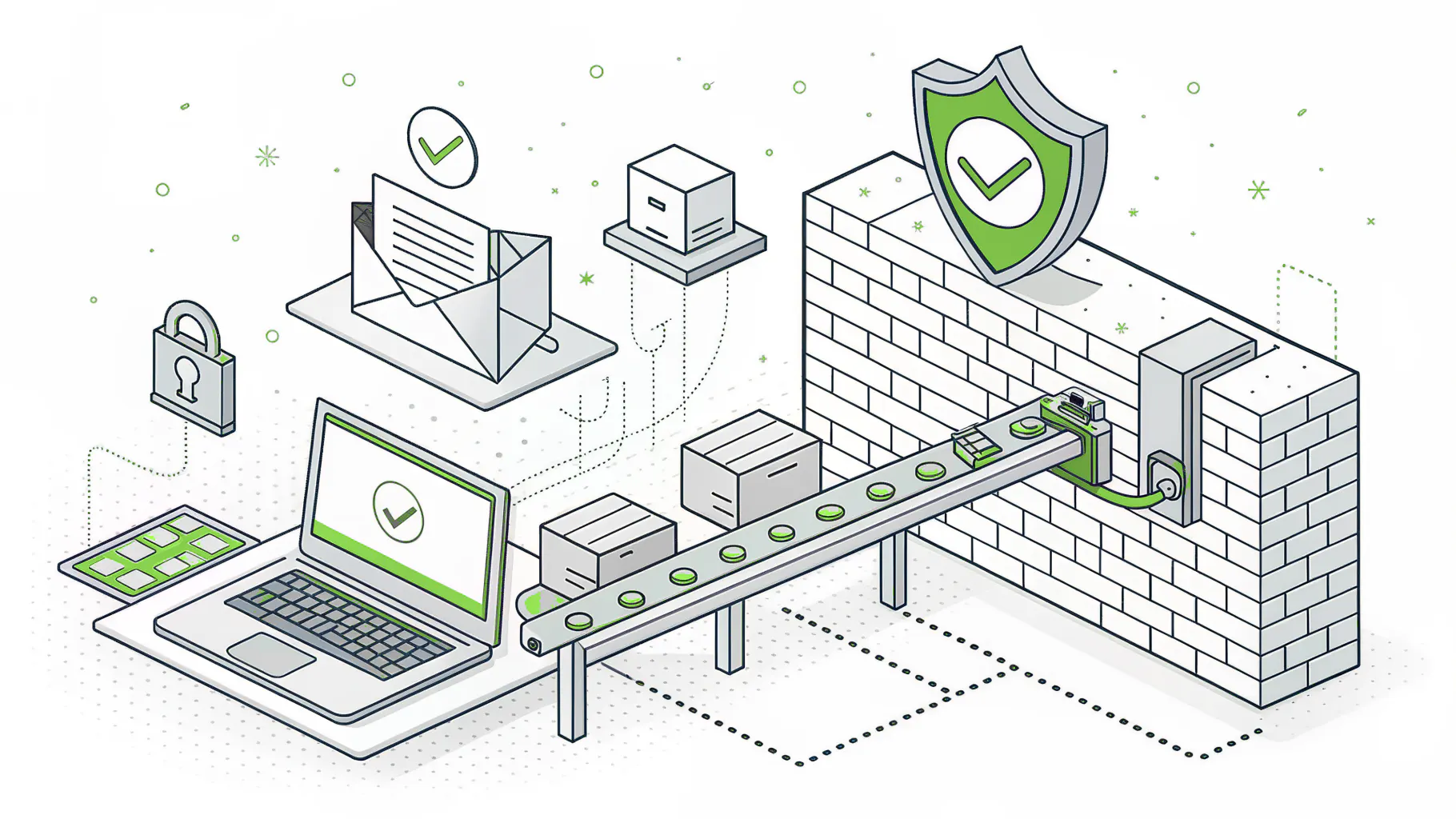
It should, with a stingy firewall between it and the office network. Conveyors, sorter controllers, dock cameras, badge readers, and label printers sit on one side, office laptops and email on the other. A bad click in accounting should never get anywhere near the conveyor.
Operational technology, or OT, is the equipment that moves physical things. Think PLCs (small industrial computers that run a conveyor or sorter), door controllers, badge readers, the cameras over every dock door, and the label printers that sit on the network so the WMS can send them jobs. Plenty of it ships with default passwords and runs software nobody patches. Patching means stopping the line. Nobody volunteers.
In May 2025, CISA, the FBI, the EPA, and the Department of Energy put out a short list of mitigations after cyber incidents hit OT systems in the US. First on it was removing OT connections from the public internet. Changing default passwords and separating IT and OT networks made the list as well. Basic stuff, all of it.
The usual way an Inland Empire warehouse ends up with one flat network is the integrator. The conveyor company needs remote access to troubleshoot, someone plugs their modem into the office switch, and three years later nobody remembers it's there. That modem is an unlocked side door. Go find it.
None of this is glamorous. It's a spreadsheet of every device, which VLAN it lives on (a VLAN is a virtual network carved out of the same physical switches), and who's allowed in from outside. Network segmentation covers the mechanics, and a managed firewall is how those rules get enforced and watched every day instead of once at install. For the threat side, see how warehouses get attacked.
Why does warehouse Wi-Fi keep dropping scanners?
Steel racking and dense stock block and bounce the signal, and access points placed for an empty building leave the aisles weak once racks fill. Fixing it is a design job. More hardware rarely helps.
- Racking. A full aisle of steel shelving and canned goods behaves nothing like the empty box the installer surveyed, and one cabling firm calls a tall rack aisle a metal canyon, which is about right.
- Access points mounted high on the ceiling and spraying signal in every direction. Fine over open staging. Bad down a narrow aisle.
- Roaming. When a scanner clings to a far access point instead of jumping to the near one, the screen freezes for a few seconds, pickers learn to walk back toward the dock, and nobody ever reports it.
- Was the survey done with a laptop? Laptops have far better radios than a five-year-old handheld.
- October isn't March. Peak inventory fills every slot.
Test with the real scanner, at walking speed and on a forklift, with the racks full and the building running a normal shift, because a survey done in an empty building on a Sunday describes a building you never actually operate in. That survey costs less than one peak season of pickers walking back to the door. Then do it again in October.
How long do warehouse handhelds stay secure?
Not as long as the hardware lasts. Rugged Android scanners get security patches only while their Android version is supported, and Zebra keeps the previous version patched for 12 months after a move to a newer one.
Zebra's LifeGuard FAQ, updated July 2026, lays out the rules. After a device family moves to a newer Android version, the old one stays supported for 12 months, with updates roughly every 90 days. Once Google ends security support for that version, Zebra offers what it calls L2 support, meaning troubleshooting help and workarounds, and doesn't promise a patch for every vulnerability. LifeGuard costs nothing extra on devices covered by certain Zebra agreements, like the initial software warranty or a OneCare plan. Without one, you're buying extensions or running unpatched.
Rugged hardware can physically outlast its patches by years. Plenty does. Some floors still run handhelds on Windows Embedded Handheld, which Microsoft no longer supports.
Who upgrades 150 scanners? Ideally nobody, by hand. A mobile device management system, or MDM, is software that lets IT push updates, lock settings, and wipe a lost device from a desk. Without it, an Android upgrade means 150 people standing in a line at the cage.
Keep spares charged and enrolled, too, so a cracked screen at 2 a.m. is a swap and not a phone call.
When can a refresh wait? If your devices are on a supported Android version, enrolled in MDM, and covered by LifeGuard or an equivalent, leave them alone and spend the money on Wi-Fi. If they're stuck on Android 10 or older, the replacement belongs in next year's budget.
What do the WMS, ERP, and EDI need to stay up?
Backups someone has restored on purpose, tight control over the file transfer and remote access tools, and a written plan for shipping by hand. In distribution, those three decide whether an attack costs a day or a month.
EDI, short for electronic data interchange, is how purchase orders, advance ship notices, and invoices move between you and your retailers or carriers as structured files instead of emails. Lose it, and orders still exist. You just can't see them.
Black Kite counted 457 publicly disclosed ransomware victims in trucking, freight arrangement, and warehousing between January 2023 and July 2026, with 196 of them in 2025. Eighty were warehousing and storage companies. The median victim with known revenue made $28.7 million a year. Not household names. Regional operators.
One campaign drove a big share of 2025. The Clop group exploited flaws in Cleo, a managed file transfer platform used to move EDI and other business files, and Black Kite ties 52 distribution victims to it in January and February 2025 alone. Nobody had to click a phishing email. The attackers came through the software that sits at the edge of the network on purpose, so trading partners can drop files in.
I'd keep file transfer servers and remote access tools on their own short list, patched within days of a fix shipping, with named accounts and an alert the moment an unfamiliar tool appears. The fraud version of this, where attackers pose as freight brokers and install legitimate remote access software, is covered in the cost of managed IT in the Inland Empire, because it changes what a good quote includes.
Somebody also has to write down what happens when the screens go blank. Paper pick lists, and who prints them. A laptop on a hotspot that can still spit out carrier labels. The order customers get called in, who calls, and what that person is allowed to promise about delivery dates. Black Kite describes Peter Green Chilled, a UK cold-chain carrier hit in May 2025, keeping trucks moving while it couldn't process new orders. The trucks were the easy part.
A layer-by-layer checklist for an Inland Empire distribution building
Walk your building against this table. Any row you can't answer with confidence is the next project.
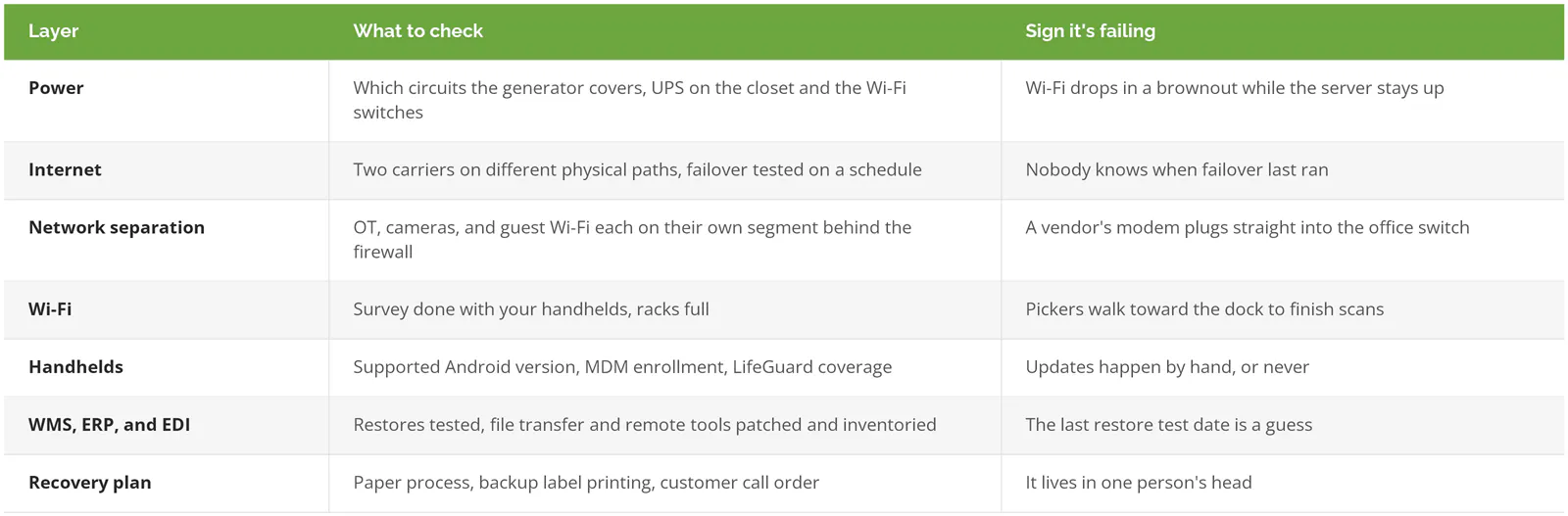
Fix order? I'd go power, then internet, because a perfect Wi-Fi design is worthless in a dark building. Separation comes third, ideally before the conveyor vendor's next visit. Wi-Fi and handhelds after that. The recovery plan goes last, and only because you'll end up rewriting it once everything under it changes.
Some readers can ignore half this table. One 40,000-square-foot building, one shift, WMS in the cloud? Buy the UPS, add a cellular line, split the equipment off the office network, and go back to running the business.
Two buildings is a different story. Say the main distribution center is in Ontario and the overflow space is out in Moreno Valley. Build them as twins, same firewall, same switches, same Wi-Fi layout, and a problem you solve once stays solved in both. Consilien has local pages for managed IT in Ontario, Fontana, and Rancho Cucamonga.
Some Inland Empire distributors also move defense parts or regulated goods, which brings CMMC (the Defense Department's cybersecurity requirement for contractors) or other frameworks into the picture. That's a compliance program. Consilien scopes and prices it as its own service, separate from keeping the building running.
Where Consilien fits
Consilien is a managed IT and cybersecurity company based in Torrance that supports businesses nationwide, including managed IT for distribution companies across the Inland Empire. The work is everything above. Watching the firewall and both internet lines, managing the scanners, keeping the WMS host patched and backed up, and sending a technician out when a remote session can't fix it.
Peak season is a bad time to find out which circuit the generator skips. If you want a second set of eyes on your building before then, speak to an IT expert. Still comparing providers? Start with the ranking of the best IT support in the Inland Empire.