Cloud Managed IT Services for Azure and Microsoft 365 Migration
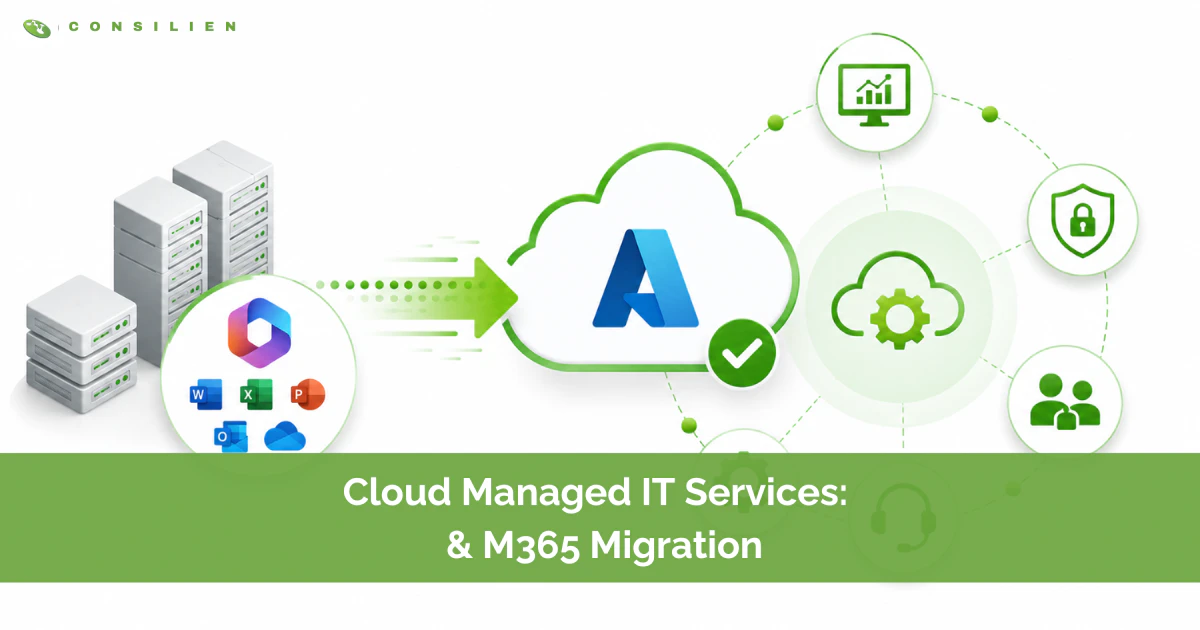
Cloud managed IT services are the ongoing operation, security, and cost control of your cloud environment after you move to it. The migration is the move. Managed services are who keeps the building standing after you move in. Most companies budget for the move and forget the part that actually drains them, the 18 months that follow.
Table of Contents
Here is the uncomfortable part. According to Gartner, 85% of cloud migrations fail to meet expectations, and McKinsey puts 75% of them over budget. The problem is rarely the technology. Azure works. Microsoft 365 works. The problem is that a migration gets treated as a project with an end date, when the real cost lives in everything that happens after cutover. Security. Licensing. Backups Microsoft doesn't actually run for you. That is where cloud managed IT services earn their keep.
This guide is for the operator who's already decided the cloud is the destination and now has to decide who runs it. If you are weighing a move to Azure and Microsoft 365, and weighing whether to run it yourself or hand it to a partner, this is the decision framework.
What cloud managed IT services actually are
A cloud managed IT service is a contracted partner that takes responsibility for the day-to-day running of your cloud platform. Not a one-time installer. An ongoing owner of uptime, patching, identity, backup, security monitoring, license management, and spend.
The distinction matters because most businesses conflate two different things. A migration project moves your mailboxes, files, and applications into Azure and Microsoft 365, then ends. Cloud managed IT services begin where that project stops and do not have an end date. One is a moving truck. The other is property management.
The market reflects how much of this work companies are now handing off. The global cloud managed services market sits near $154 billion in 2026 and is growing at roughly 9% a year, with managed security the fastest-moving segment inside it. Companies are not buying this because it is fashionable. They are buying it because running a cloud environment well is a full-time discipline, and most internal teams already have a full-time job.
Why Azure and Microsoft 365 migrations go sideways
Microsoft 365 is not a niche bet. More than 3.7 million businesses run on it, and roughly a million of those are in the United States. The platform is proven. The migrations are where things break.
The failure pattern is consistent, and it is rarely about Azure itself. It is about planning, sequencing, and the assumption that a migration is mostly a technical task. It's half technical and half human. Here is where projects come apart:

- Downtime nobody scoped for. Migration-related outages cost an average of $5,600 per minute, and 47% of organizations report at least one major outage after moving applications to the cloud.
- Data that does not arrive intact. Roughly 23% of migrations involve some data loss, and poor data quality affects a startling 84% of them. Legacy formats clash with modern platforms, and nobody validates until it is too late.
- Users who never adopt. A technically flawless Microsoft 365 cutover still fails if the people using it are confused. Adoption stalls, productivity drops, and the help desk drowns in the first two weeks.
- Licensing bought blind. Companies routinely over-buy seats they do not need or under-license teams into reduced functionality, then pay for the mistake every month.
The single most useful number in this entire space is the gap between doing it alone and doing it with help. Partner-led migrations finish on time and on budget 71% of the time, versus 49% for self-managed ones. That is not a small edge. It is the difference between a project that lands and a coin flip.
The costs nobody puts in the budget
The migration line item is the part everyone sees. The part that quietly bleeds you is what happens after. Idle resources, over-provisioned virtual machines, and forgotten licenses pile up fast. Across the industry, 20% to 30% of cloud spend is wasted after migration, mostly on resources nobody is watching.
This is the strongest argument for managed services that nobody makes in the sales pitch. A good cloud managed IT partner pays for a meaningful share of their own fee by killing waste you can't see. Right-sizing instances. Reclaiming dead licenses. Catching the dev environment somebody spun up in March and forgot to turn off. The savings are unglamorous and they are real.
What a managed migration actually covers
When a migration is done properly, the move itself is the smallest part. The structure around it is the work. A serious cloud services engagement runs in four phases, and skipping any one of them is where the failure statistics come from.
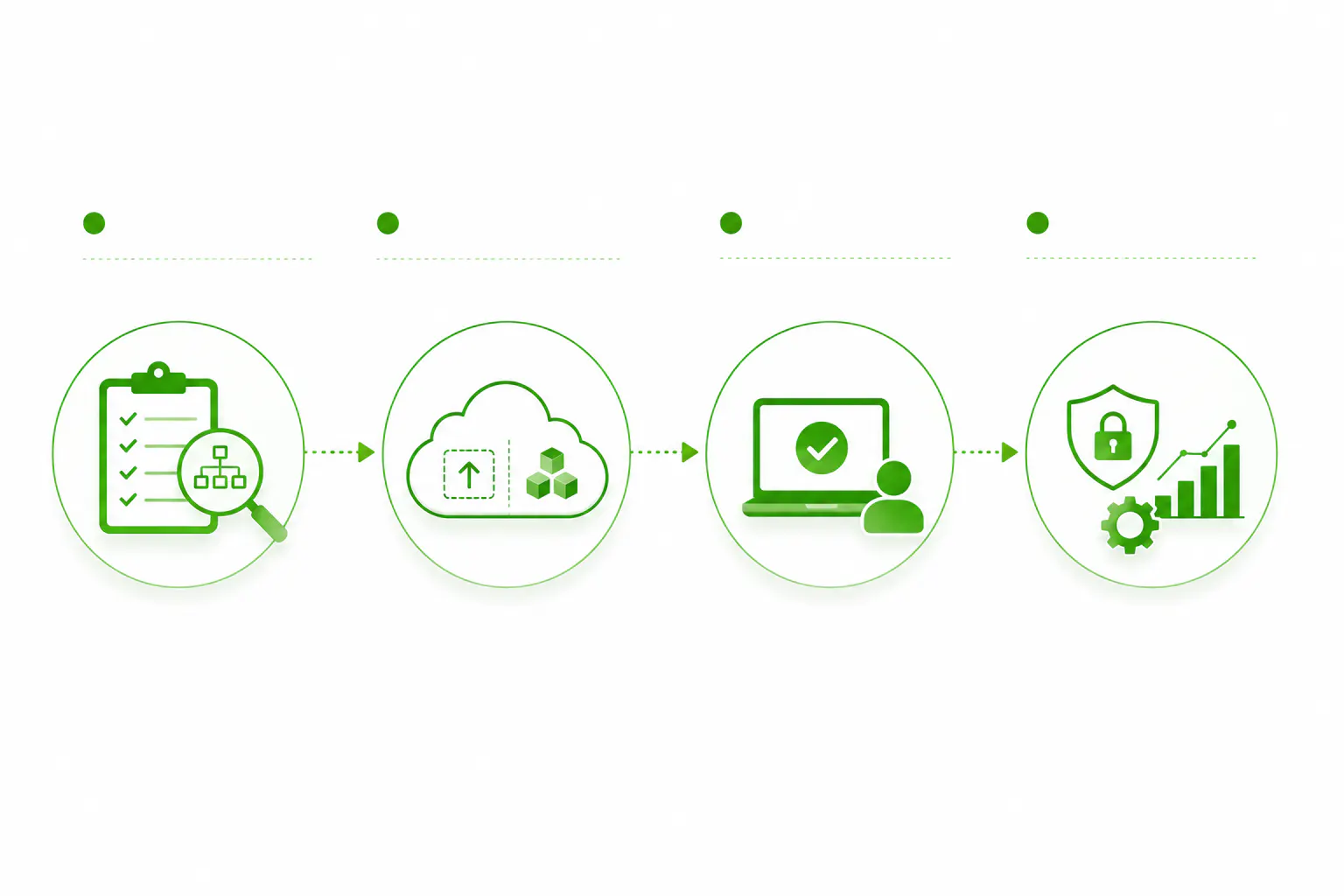
1. Assessment and dependency mapping
Before anything moves, you map what you have. Which applications depend on which servers. What talks to what. What is too old or too custom to lift cleanly. Microsoft's own Cloud Adoption Framework puts assessment first for a reason, because the cost estimate and the migration plan are only as honest as the inventory underneath them. This is also where a structured IT assessment earns its place, by surfacing the dependencies that would otherwise become 2 a.m. surprises.
2. Migration design: rehost or refactor
Not every workload moves the same way. The two common paths:
- Rehost (lift and shift). Move the application as-is with minimal change. Fast, lower risk, good for legacy systems and tight timelines. It won't, on its own, unlock everything Azure can do.
- Refactor. Reshape the application to use cloud-native features. More work up front, more payoff in performance, scale, and long-term cost.
Most real migrations are a mix. The skill is knowing which workload gets which treatment, and that judgment is exactly what you're paying a managed partner for.
3. Cutover, validation, and adoption
Cutover is the moment of risk. It is scheduled around your business, not against it, with rollback ready and data validated before anyone is told to log in. Then comes the part most projects skip: making sure people can actually work. Training. Quick-reference guides. A staffed first week. The migration is not done when the data lands. It is done when the team is productive on the new platform.
4. Day-2 management, security, and spend
This is the phase that never ends, and it is the whole point of managed services. Patching. Identity and access. Backup and recovery. Security monitoring. License and cost governance. This is where the managed cybersecurity layer lives, and where ongoing compliance readiness gets maintained instead of scrambled for once a year before an audit.
The shared responsibility gap Microsoft does not cover
Here is the assumption that gets companies breached. Many businesses move to Azure and Microsoft 365 and believe Microsoft now handles security. Microsoft does not. Microsoft secures the platform. You secure what you put on it.

This is the shared responsibility model, and it's not optional reading. Microsoft is responsible for the physical infrastructure and the service availability. You remain responsible for your data, your identities, your access controls, and your configurations. The line is real, and most breaches happen on your side of it. Cloud misconfiguration is the leading cause of cloud data breaches, with the average incident costing around $3.3 million.
Two specifics that catch people:
- Microsoft 365 does not back up your data the way you think. It offers limited retention, not a true backup. Delete a mailbox or get hit by ransomware past the retention window, and that data is gone unless you run a separate backup. This is your responsibility, not Microsoft's.
- Default settings are not secure settings. Out of the box, sharing is permissive, multifactor authentication is not enforced everywhere, and access tends to grow unchecked. Someone has to harden it. That someone is you, or the partner you hire.
A managed migration that does not close this gap is not finished. It just looks finished.
In-house, co-managed, or fully managed: choosing your model
There's no single right answer here. There is a right answer for your size, your team, and your risk tolerance. The three models:
- In-house. Best for larger firms with deep, specialized cloud staff and the budget to retain them. The trade-off is full control, full cost, and full exposure when a key person leaves.
- Co-managed. Best for firms with a capable internal IT team that needs depth, coverage, or extra hands. The trade-off is shared control, and it works only when responsibilities are defined clearly.
- Fully managed. Best for firms without a dedicated cloud team, or who want IT off their plate entirely. The trade-off is lower internal burden, but you need a partner you actually trust.
For most companies in the 50 to 250 user range, the honest answer is some version of partnership. The economics back it up. For firms between 10 and 100 employees, managed services typically deliver comparable or better service at 30% to 50% less than building the equivalent in-house, mostly because you stop paying to hire, train, and retain specialists you only need part of the time.
If you already have IT staff, the model worth a hard look is co-managed IT. Your team keeps the institutional knowledge and the relationships. The partner brings the cloud depth, the 24-hour coverage, and the capacity to absorb a migration without your people working nights for a quarter. It raises the technical ceiling without gutting what you have built.
How to choose a cloud managed IT services partner
Once you have decided to bring in help, the selection matters more than the decision. Most providers can move a mailbox. Fewer can run the environment well for years. Pressure-test on these:
- Security-first, not security-later. Ask how they handle the shared responsibility gap, backup beyond native retention, and configuration hardening. If security is an add-on tier, keep looking.
- Strategy, not just tickets. A good partner brings a vCIO to the table who plans your environment around the business, not just the next outage. Day-2 without strategy is just a more expensive help desk.
- Compliance built in. If you operate under NIST, CMMC, PCI, or SOC 2, your cloud environment is in scope. The partner should treat compliance as a standing function, not a fire drill.
- Cost governance as a service. Given that a fifth to a third of cloud spend is routinely wasted, ask exactly how they monitor and right-size your spend. Vague answers here cost you every month.
- Proximity and accountability. A partner who knows your region and your industry, and who answers when something breaks, is worth more than a cheaper name with a slower phone.
The bottom line
Azure and Microsoft 365 are the easy part of this decision. They work, they scale, and the rest of your industry is already there. The hard part, and the expensive part, is everything after the data lands. Security you still own. Costs that grow in the dark. Backups Microsoft never promised. A migration is a weekend. Running the cloud is a discipline.
Cloud managed IT services exist to carry that discipline so your team can run the business. If you are planning a move to Azure and Microsoft 365, or you've already moved and the bills and the risks are creeping, that is the conversation worth having.